
Area Unit Conversion - Level 2 (Decimals)
Loading the math board and drawing, please wait…
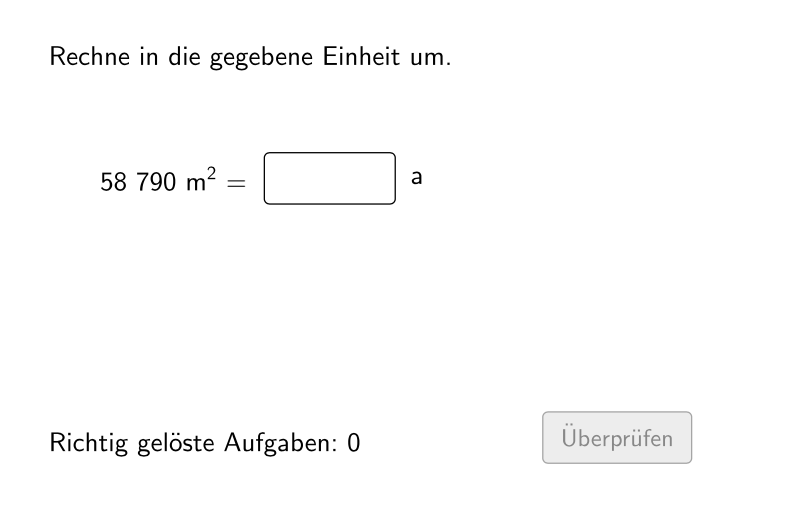
This example demonstrates area unit conversion, involving decimal numbers. Using GeoGebra commands such as Sequence, Element, If, Textfield, and Defined, students can practice converting area units. Suitable for students in grades 5-6, this lesson helps them master the skill of area unit conversion.
GeoGebra Commands & Parameters
Sequence(If[¬allowDecimalNumbers, Random[1, 1000], Random[1, 10000] / Element[{10, 100, 1000}, Random[1, 3]]], i, 1, 100) → randomNumbersElement(randomNumbers, Mod[questionCount, Length[randomNumbers]] + 1) → randomNumberSequence(Random[1, Length[numberMatchingUnits]], i, 1, 100) → randomUnitsLeft, {1, 4, 7, 4, 7, 2, 1, 3, 7, 4, 5, 5, 2, 6, 6, 2, 1, 2, 3, 5, 2, 6, 5, 2, 7, 1, 6, 7, 6, 5, 4, 2, 1, 6, 1, 3, 4, 1, 2, 7, 7, 4, 7, 7, 5, 5, 2, 1, 2, 4, 1, 7, 2, 7, 3, 5, 1, 7, 4, 1, 5, 6, 2, 6, 3, 1, 6, 2, 7, 6, 3, 2, 4, 4, 2, 4, 2, 5, 4, 7, 5, 4, 4, 3, 4, 7, 7, 1, 5, 2, 6, 5, 1, 2, 6, 2, 2, 2, 5, 2}Element(randomUnitsLeft, Mod[questionCount, Length[randomUnitsLeft]] + 1) → actualUnitLeftElement(allowedUnits, actualUnitLeft) → actualAllowedUnitsElement(actualAllowedUnits, Random[2, Length[actualAllowedUnits]]) → actualUnitRightInfoElement(actualUnitRightInfo, 1) → actualUnitRightElement(actualUnitRightInfo, 2) → actualUnitRightFactorIf(unitLeftSmaller, round(((randomNumber * actualUnitRightFactor) * 1000)) / 1000, randomNumber) → valueRightTextfield(inputNumber) → inputBox1Defined(inputNumber) → clickableBtnValidateIf(unitLeftSmaller, randomNumber, round(((randomNumber * actualUnitRightFactorInvers) * 1000)) / 1000) → valueLeft
AI Drawing Prompt Reference
Visualize an area unit conversion example with randomly generated decimal values and units, showing the conversion relationship between different units like square meters and square centimeters, emphasizing the ratio between units, and including an input validation feature to help understand area unit conversion.
The prompt above was compiled from the original drawing commands and is for reference only.