
Area Under a Hyperbola
Loading the math board and drawing, please wait…
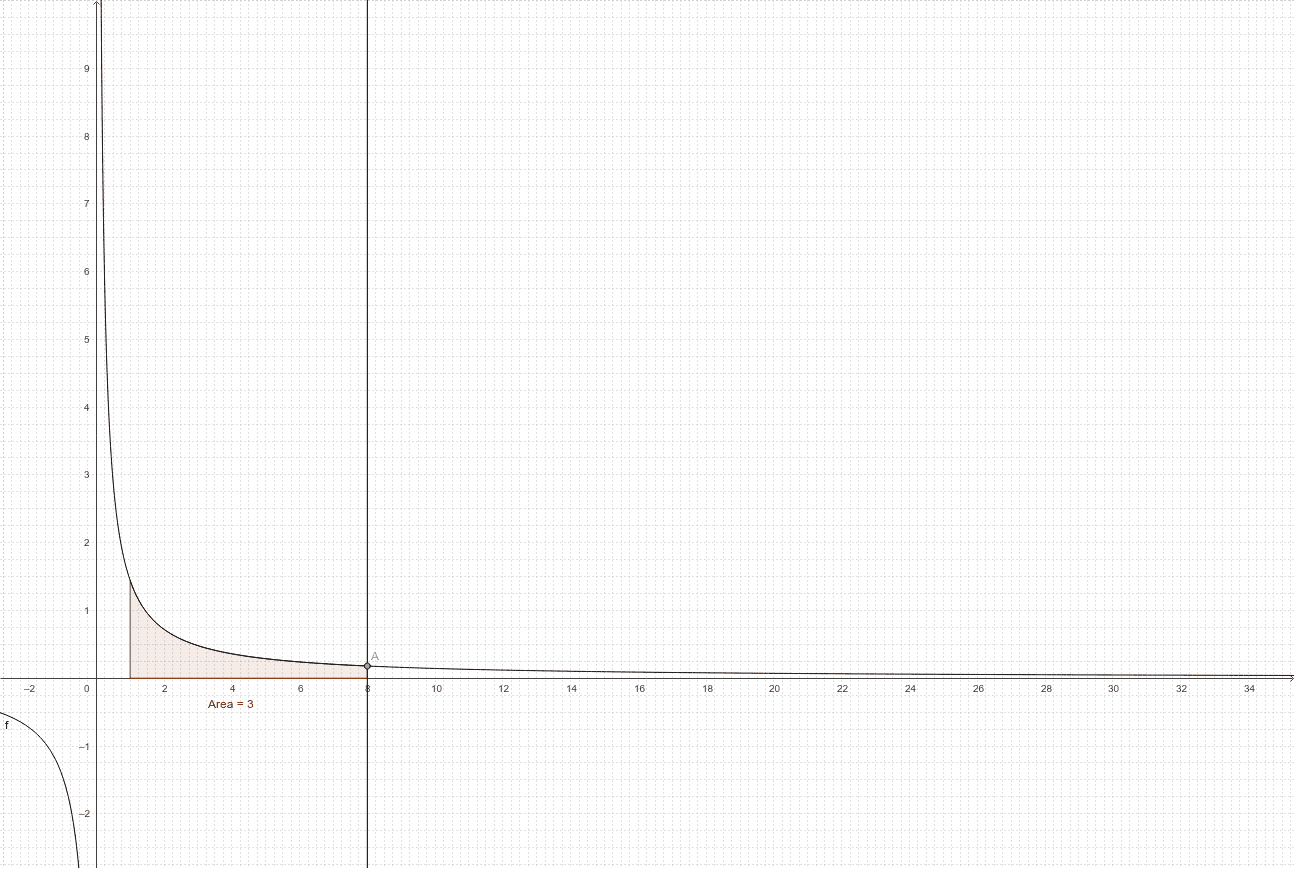
This example demonstrates the calculation of the area under a hyperbola, involving an initial exploration of the properties of the Log function. By constructing points A and B on the hyperbola and their corresponding orthogonal lines, the area under the hyperbola is calculated using the Integral command. Commands used include Point, OrthogonalLine, Intersect, and Integral. Suitable for high school mathematics education, helping students understand the properties of the Log function and the application of integration.
GeoGebra Commands & Parameters
Point(f) → APoint(f) → BOrthogonalLine(B, xAxis) → aOrthogonalLine(A, xAxis) → bIntersect(a, xAxis) → CIntersect(b, xAxis) → DIntegral(f, x(C), x(D)) → Area
AI Drawing Prompt Reference
Draw a hyperbola and select two points A and B on it. Construct perpendicular lines from points A and B to the x-axis, and let the intersections with the x-axis be points C and D. Calculate the area under the hyperbola between points C and D.
The prompt above was compiled from the original drawing commands and is for reference only.