
Area of Triangles, Circles, Rectangles
Loading the math board and drawing, please wait…
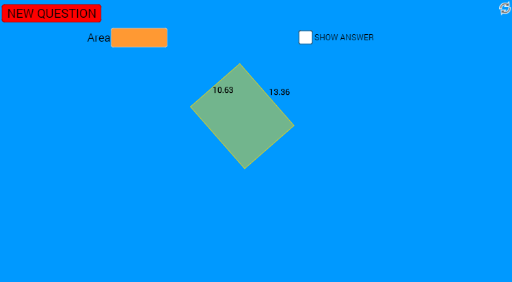
This example demonstrates how to calculate the area of triangles, circles, and rectangles. It involves core mathematical concepts such as area formulas, geometric constructions, and coordinate geometry applications. Using GeoGebra commands like Random, Segment, Midpoint, Polygon, OrthogonalLine, Line, Intersect, Angle, PointIn, Textfield, Cell, Circle, Distance, and Vector, the example constructs and measures geometric figures dynamically. It is suitable for middle school and above students to learn and understand area calculation methods for geometric shapes, ideal for classroom instruction or self-directed exploration.
GeoGebra Commands & Parameters
Random(0, 5) → aRandom(0, 5) → bRandom(8, 13) → cRandom(-2, 8) → dSegment(A, B) → fMidpoint(A, B) → CRandom(0, 20) → eRandom(14, 22) → lPolygon(A, D, B) → poly1, b_1, a_1, d_1OrthogonalLine(D, f) → gLine(A, B) → hOrthogonalLine(D, h) → iIntersect(h, i) → FSegment(D, F) → jSegment(A, F) → kAngle(A, F, D) → αPointIn(poly1) → Pointpoly1Textfield(area) → InputBox1Random(1, 14) → A16Cell(2, A16) → B16Line(D, f) → pOrthogonalLine(A, p) → rOrthogonalLine(B, p) → sIntersect(p, r) → EIntersect(p, s) → GPolygon(A, E, G, B) → poly2, a_2, e_1, g_1, b_2PointIn(poly2) → Pointpoly2_1PointIn(poly2) → Pointpoly2Textfield(v) → InputBox2Circle(E, G) → qDistance(E, G) → wVector(E, G) → u_1PointIn(q) → Pointq