
Area of Shaded Region Example
Loading the math board and drawing, please wait…
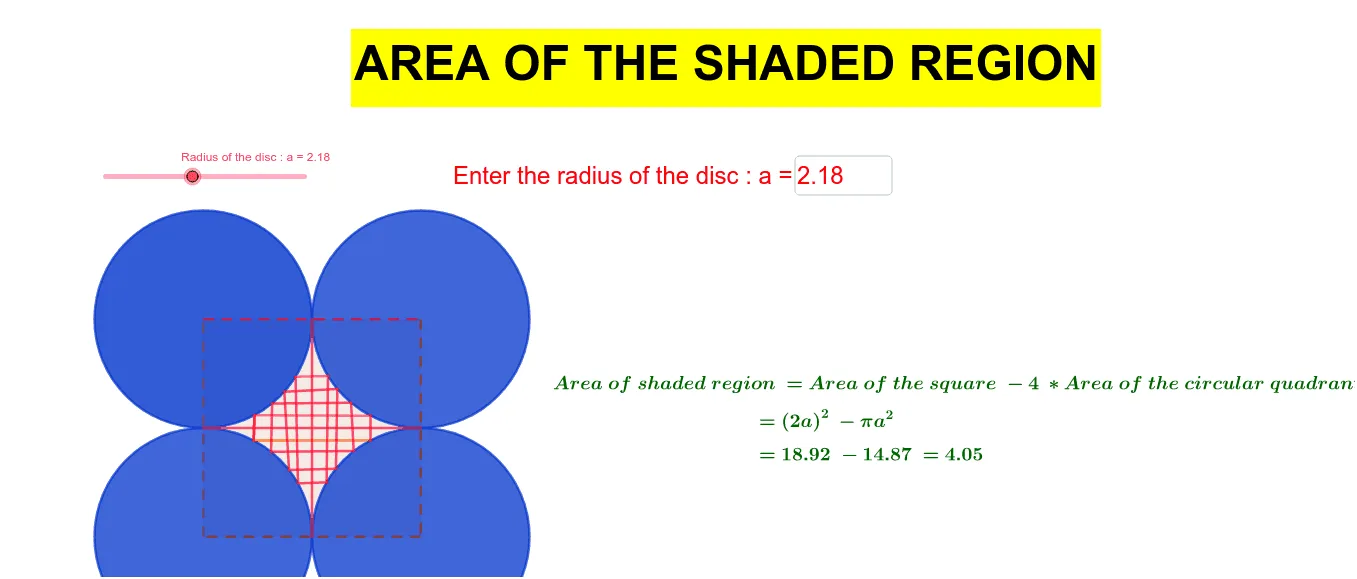
This example demonstrates calculating the area of a bounded region formed by circles and triangles. Key mathematical concepts include circle area, triangle area, and geometric construction. Construction involves GeoGebra commands like Circle, Polygon, Intersect. Suitable for middle or high school math learning to understand area calculation and geometric analysis.
GeoGebra Commands & Parameters
Circle(A, a) → cCircle(B, a) → dCircle(C, a) → eCircle(D, a) → fPolygon(B, A, D, C) → q1, b, a_1, d_1, c_1Intersect(f, a_1, 1) → EIntersect(c, b, 1) → FIntersect(d, c_1, 1) → GIntersect(e, d_1, 1) → HCircleArc(C, H, G) → gCircleArc(A, F, E) → hCircleArc(D, E, H) → kCircleArc(B, G, F) → pPoint(p) → IPoint(h) → JPoint(g) → KPoint(k) → LPoint(p) → MPoint(h) → NPoint(p) → OPoint(h) → PPoint(g) → QPoint(k) → RPoint(g) → SPoint(k) → TPoint(g) → UPoint(k) → VPoint(p) → WPoint(h) → ZSegment(M, N) → iSegment(W, Z) → jSegment(I, J) → lSegment(O, P) → mSegment(Q, R) → nSegment(K, L) → qSegment(S, T) → rSegment(U, V) → sSegment(O, Q) → tSegment(O, Q) → f_1Segment(Q, O) → g_1Segment(I, K) → h_1Segment(W, S) → i_1Segment(M, U) → j_1Segment(N, V) → k_1Segment(Z, T) → l_1Segment(L, J) → m_1Segment(P, R) → n_1Segment(F, H) → p_1Segment(G, E) → q_1Textfield(a) → InputBox1
AI Drawing Prompt Reference
Draw a figure composed of four circles that intersect to form four intersection points. Then draw four arcs connecting these points. Finally, connect the resulting points to form line segments, creating a complex geometric shape.
The prompt above was compiled from the original drawing commands and is for reference only.