
Area of Regular Polygons by Isabel Camejo de Morales
Loading the math board and drawing, please wait…
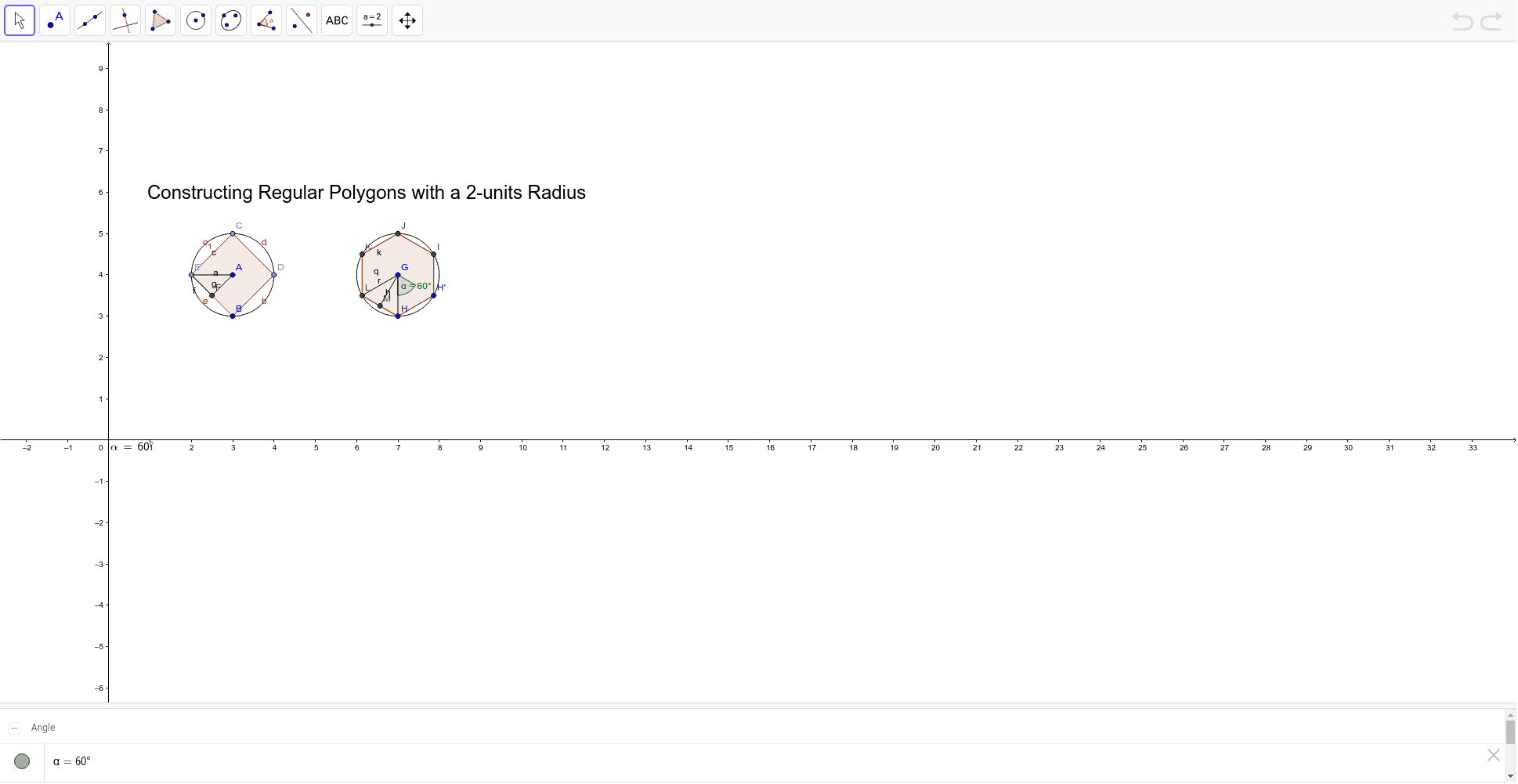
This example demonstrates constructing regular polygons with a 2-unit radius and observing how the area changes. Key concepts include the area calculation of polygons and angle measurement. It uses commands such as circle, polygon, rotation, and angle in GeoGebra. Suitable for middle school and above students to learn polygon properties and area calculation.
GeoGebra Commands & Parameters
Circle(A, B) → cPoint(c) → CPoint(c) → DPoint(c) → EPolygon(C, E, B, D) → poly1, c_1, e, b, dMidpoint(E, B) → FSegment(A, F) → aSegment(E, F) → fSegment(E, A) → gSegment(G, H) → hCircle(G, H) → kRotate(H, 60*°, G) → H'Angle(H, G, H') → αPolygon(H, H', 6) → poly2, i, L, j, l, m, n, p, I, J, KSegment(G, L) → qMidpoint(L, H) → MSegment(G, M) → rLaTeX(α, true, true) → text2
AI Drawing Prompt Reference
Draw a regular polygon with a 2-unit radius and observe how its area changes. Start by drawing a circle, then take points C, D, and E on the circle and connect them to form the first polygon. Find the midpoint F of E and B, connect A to F, E to F, and E to A. Then draw a circle with center G and radius H, rotate H to get H', calculate the angle ∠HGH', and use this angle to construct a hexagon. Finally, connect G to L, find the midpoint M of L and H, and connect G to M.
The prompt above was compiled from the original drawing commands and is for reference only.