
Area of Quadrilaterals, Sectors, and Circles
Loading the math board and drawing, please wait…
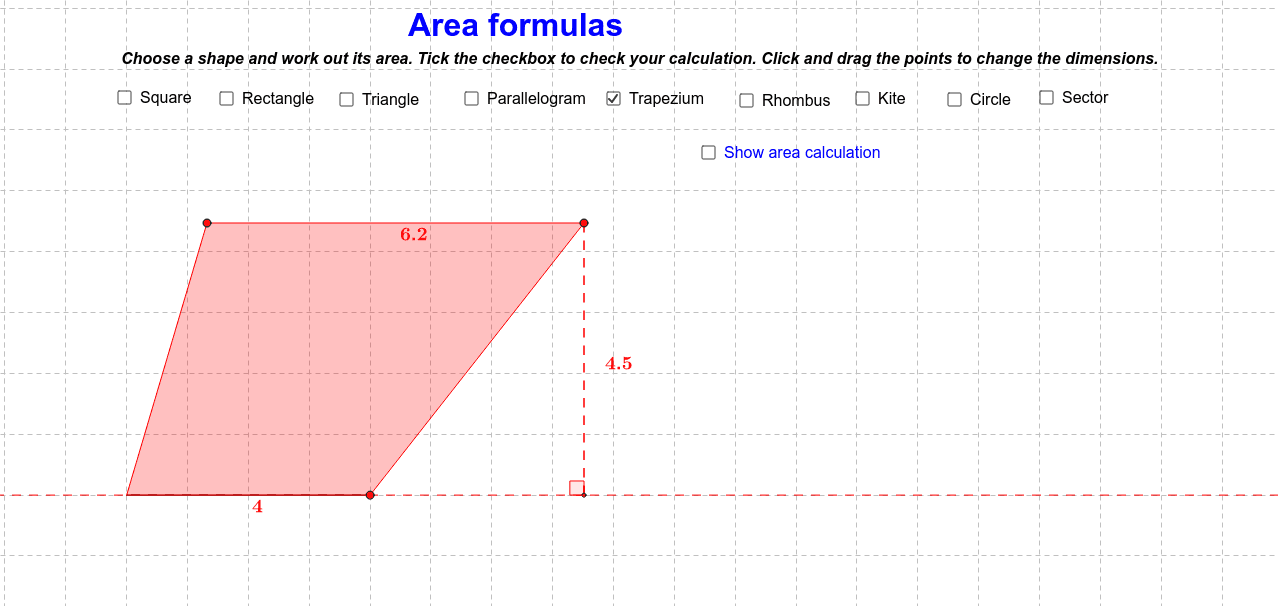
This example demonstrates the calculation of areas for quadrilaterals, sectors, and circles. It involves core mathematical concepts such as area formulas, trigonometry, coordinate geometry, and geometric transformations. The construction utilizes GeoGebra commands and objects like OrthogonalLine, Point, Circle, Rotate, Angle, Segment, Line, Intersect, Polygon, Midpoint, Ray, CircleSector, and Mirror. It is suitable for high school students learning geometric area calculations and for mathematical teaching demonstrations.
GeoGebra Commands & Parameters
OrthogonalLine(S, xAxis) → n_1Point(j) → APoint(j) → BCircle(A, B) → kRotate(B, 90*°, A) → B'Angle(B, A, B') → αSegment(A, B') → lLine(B', j) → mLine(B, l) → nIntersect(m, n) → CPolygon(B', C, B, A) → poly1, b', c_1, b_1, a_1Midpoint(b_1) → DPoint(xAxis) → EPoint(yAxis) → FOrthogonalLine(E, xAxis) → pOrthogonalLine(F, yAxis) → qIntersect(p, q) → GIntersect(yAxis, xAxis) → HPolygon(F, G, E, H) → poly2, f_1, g_1, e_1, h_1Midpoint(e_1) → IMidpoint(g_1) → JPoint(xAxis) → KIntersect(xAxis, yAxis) → LPolygon(M, L, K) → poly3, k_1, m_1, l_1OrthogonalLine(M, xAxis) → rIntersect(r, xAxis) → NSegment(M, N) → sMidpoint(m_1) → OMidpoint(s) → PPoint(xAxis) → QIntersect(xAxis, yAxis) → RSegment(S, R) → tSegment(R, Q) → d_1Line(Q, t) → i_1Line(S, xAxis) → j_1Intersect(i_1, j_1) → TPolygon(R, S, T, Q) → poly4, r_1, s_1, t_1, q_1Intersect(n_1, a_2) → USegment(S, U) → p_1Midpoint(q_1) → VMidpoint(p_1) → WIntersect(a_2, yAxis) → A_1Ray(A_1, Z) → b_2Point(b_2) → B_1Segment(A_1, B_1) → c_2Line(C_1, c_2) → d_2Circle(C_1, 1) → e_2Intersect(e_2, d_2, 2) → D_1Ray(C_1, D_1) → f_2Point(f_2) → E_1Polygon(A_1, B_1, E_1, C_1) → poly5, a_3, b_3, e_3, c_3Midpoint(a_3) → F_1Midpoint(e_3) → G_1OrthogonalLine(E_1, a_2) → g_2Intersect(a_2, g_2) → H_1Segment(E_1, H_1) → h_2Midpoint(h_2) → I_1Intersect(a_2, xAxis) → J_1Ray(K_1, Z) → i_2Circle(T_1, U_1) → t_3Segment(T_1, U_1) → a_4Midpoint(a_4) → V_1Circle(W_1, 0.5) → e_4Segment(W_1, Z_1) → b_4Rotate(Z_1, θ, W_1) → A_2Angle(Z_1, W_1, A_2) → γCircleSector(W_1, Z_1, A_2) → c_4Midpoint(b_4) → B_2Point(d_4) → C_2Point(d_4) → D_2Segment(C_2, D_2) → f_4Point(f_4) → E_2Ray(E_2, F_2) → g_4Point(g_4) → G_2Mirror(G_2, f_4) → H_2Polygon(C_2, H_2, D_2, G_2) → poly7, c_5, h_4, d_5, g_5Segment(H_2, G_2) → i_4Line(H_2, f_4) → j_4Line(G_2, f_4) → k_4Line(C_2, i_4) → l_4Line(D_2, i_4) → m_4Intersect(j_4, l_4) → I_2Intersect(k_4, l_4) → J_2Intersect(k_4, m_4) → K_2Intersect(j_4, m_4) → L_2Segment(I_2, J_2) → n_4Segment(L_2, K_2) → p_4Segment(J_2, K_2) → q_4Segment(I_2, L_2) → r_4Midpoint(q_4) → M_2Segment(E_2, H_2) → s_4Segment(E_2, G_2) → t_4Point(j_2) → L_1OrthogonalLine(L_1, j_2) → k_2Point(k_2) → M_1Point(j_2) → N_1Mirror(M_1, j_2) → O_1Mirror(N_1, k_2) → P_1Polygon(N_1, O_1, P_1, M_1) → poly6, n_2, o_1, p_2, m_2Segment(O_1, M_1) → l_2Segment(N_1, P_1) → q_2Line(N_1, l_2) → r_2Line(P_1, l_2) → s_2Line(M_1, q_2) → t_2Line(O_1, q_2) → d_3Intersect(r_2, d_3) → Q_1Intersect(r_2, t_2) → R_1Intersect(s_2, t_2) → S_1Intersect(s_2, d_3) → N_2Segment(Q_1, R_1) → f_3Segment(R_1, S_1) → g_3Segment(S_1, N_2) → h_3Segment(N_2, Q_1) → i_3Angle(K, N, M) → βAngle(Q, U, S) → δAngle(B_1, H_1, E_1) → ε
AI Drawing Prompt Reference
Draw a figure including quadrilaterals, sectors, and circles to demonstrate area calculations. Start with a circle, then create a sector and a quadrilateral on it. Add some helper lines and points using coordinate geometry and trigonometry, forming a complex geometric shape for educational purposes.
The prompt above was compiled from the original drawing commands and is for reference only.