
Area of an Octagon with Radius R = 20
Loading the math board and drawing, please wait…
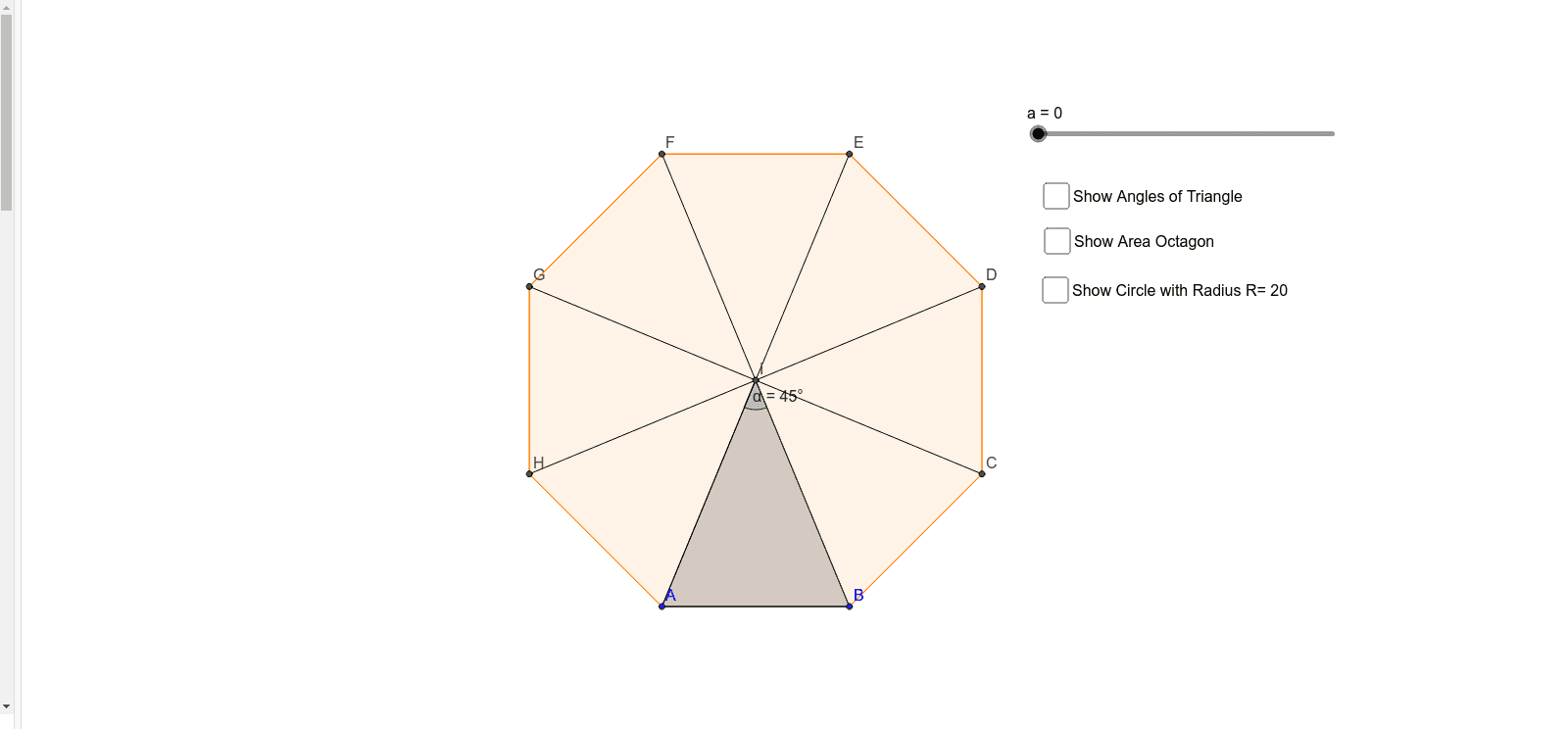
This example demonstrates how to calculate the area of an octagon by constructing its inscribed and circumscribed circles. Core mathematical concepts involved include polygon, circle, vector, integral, and geometric construction. Using GeoGebra commands such as Polygon, LineBisector, Intersect, Vector, Translate, Angle, OrthogonalLine, Segment, PointIn, and Circle, the octagon can be accurately drawn and its area computed. Suitable for high school students and teachers for teaching and exploring the properties of geometric shapes.
GeoGebra Commands & Parameters
Polygon(A, B, 8) → poly1, a_1, D, E, F, G, H, b, c, d, e, g, h, i, CLineBisector(g) → jLineBisector(c) → kIntersect(j, k) → IPolygon(I, B, A) → poly2, a_2, i_1, b_1Vector(A, J) → uTranslate(I, u) → I'Translate(B, u) → B'Translate(A, u) → A'Polygon(I', B', A') → poly2', a', i', b'Angle(A, I, B) → αOrthogonalLine(I', i') → lIntersect(f, l, 1) → KSegment(I', K) → mAngle(J, I', K) → βAngle(I', K, J) → γPointIn(poly1) → Pointpoly1Segment(H, I) → pSegment(I, G) → qSegment(I, F) → rSegment(I, E) → sSegment(I, D) → tSegment(I, C) → c_1Circle(I, G) → d_1Segment(A, I) → e_1
AI Drawing Prompt Reference
Draw an octagon with a radius of 20 and its inscribed and circumscribed circles. First, construct the octagon by connecting points on a circle with radius 20. Then, find the center of the circle by intersecting the angle bisectors of two adjacent vertices. Next, draw the inscribed octagon by connecting the center to each vertex of the original octagon. After that, translate each vertex of the inscribed octagon outward along the radius to form the circumscribed octagon. Finally, calculate and label the areas of both octagons.
The prompt above was compiled from the original drawing commands and is for reference only.