
Area of a trapezoid: Calculating via parallelogram formation
Loading the math board and drawing, please wait…
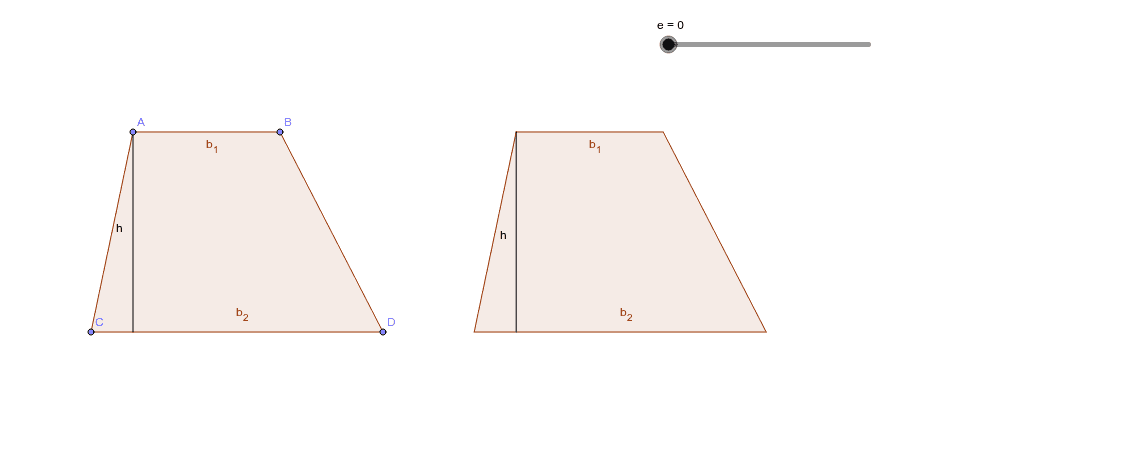
This example demonstrates how to calculate the area of a trapezoid by copying it and forming a parallelogram. The key mathematical concept is the trapezoid area formula: Area = (sum of bases) × height ÷ 2. Construction involves GeoGebra commands such as Point, Polygon, Translate, Midpoint, etc. Suitable for middle or high school mathematics teaching to understand geometric area calculation and transformations.
GeoGebra Commands & Parameters
Point(a) → APoint(a) → BPoint(xAxis) → CPoint(xAxis) → DPolygon(A, B, D, C) → poly1, a_1, b, d, cPoint(xAxis) → EPoint(d) → FVector(E, F) → uTranslate(A, u) → A'Translate(B, u) → B'Translate(D, u) → D'Translate(C, u) → C'Polygon(A', B', D', C') → poly1', a', b', d', c'Midpoint(B, D') → GRotate(A', e°, G) → A''Rotate(B', e°, G) → B''Rotate(D', e°, G) → D''Rotate(C', e°, G) → C''Polygon(A'', B'', D'', C'') → poly1'', a'', b'', d'', c''OrthogonalLine(A, xAxis) → fOrthogonalLine(A'', xAxis) → gIntersect(f, d) → HIntersect(g, d'') → ISegment(A, H) → hOrthogonalLine(A'', d'') → iIntersect(i, d'') → JSegment(A'', J) → j
AI Drawing Prompt Reference
Draw a trapezoid and show how to calculate its area by copying it and forming a parallelogram. First, create a trapezoid, then copy and translate it to form a parallelogram. Next, find the midpoints and rotate parts of the trapezoid to align with the parallelogram. Finally, draw the heights of the trapezoid and parallelogram, and label the key points and segments.
The prompt above was compiled from the original drawing commands and is for reference only.