
Area of a Kite by Shannon McClintock
Loading the math board and drawing, please wait…
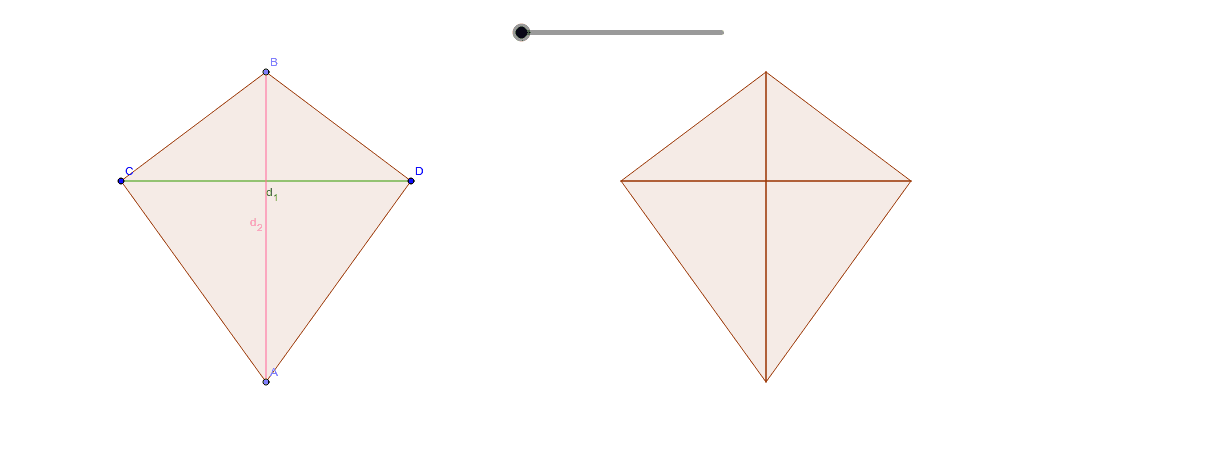
This example demonstrates how to find the area of a kite by combining two kites into a rectangle. Key math concepts include the properties of a kite's diagonals, area formulas, and geometric transformations. GeoGebra commands and objects used in the construction are Point, Mirror, Polygon, Intersect, Vector, Translate, Segment, Midpoint, and Rotate. Suitable for middle school students and above for learning geometric constructions and area calculations, as well as for classroom demonstrations.
GeoGebra Commands & Parameters
Point(a) → APoint(a) → BMirror(C, a) → DPolygon(D, A, C, B) → poly1, d, a_1, c, bIntersect(xAxis, yAxis) → EPoint(xAxis) → FVector(E, F) → uTranslate(D, u) → D'Translate(A, u) → A'Translate(C, u) → C'Translate(B, u) → B'Polygon(D', A', C', B') → poly1', d', a', c', b'Segment(B', A') → eSegment(C', D') → fIntersect(e, f) → GMidpoint(C, B') → HMidpoint(D', B) → IMidpoint(A', C) → JMidpoint(A, D') → KPolygon(B', G, D') → poly2, d'_1, b'_1, g_1Rotate(B', g°, I) → B''Rotate(G, g°, I) → G'Rotate(D', g°, I) → D''Polygon(B'', G', D'') → poly2', d'', b'', g'Polygon(B', C', G) → poly3, g_2, b'_2, c'_1Rotate(B', g°, H) → B''_1Rotate(C', g°, H) → C''Rotate(G, g°, H) → G'_1Polygon(B''_1, C'', G'_1) → poly3', g'_1, b''_1, c''Polygon(C', G, A') → poly4, a'_1, c'_2, g_3Polygon(A', D', G) → poly5, g_4, a'_2, d'_2Rotate(C', (-(g°)), J) → C''_1Rotate(G, (-(g°)), J) → G'_2Rotate(A', (-(g°)), J) → A''Polygon(C''_1, G'_2, A'') → poly4', a'', c''_1, g'_2Rotate(A', (-(g°)), K) → A''_1Rotate(D', (-(g°)), K) → D''_1Rotate(G, (-(g°)), K) → G'_3Polygon(A''_1, D''_1, G'_3) → poly5', g'_3, a''_1, d''_1Segment(C, D) → d_1Segment(B, A) → d_2
AI Drawing Prompt Reference
Draw a kite by combining two kites into a rectangle to demonstrate the area calculation. Start by creating two kites, then use the properties of their diagonals to translate and combine them into a rectangle. Identify key points like the intersection of diagonals and midpoints, and draw smaller triangles formed by these points. Finally, rotate the triangles to show the kite's symmetry and the area calculation process.
The prompt above was compiled from the original drawing commands and is for reference only.