
Area of a Sector Example
Loading the math board and drawing, please wait…
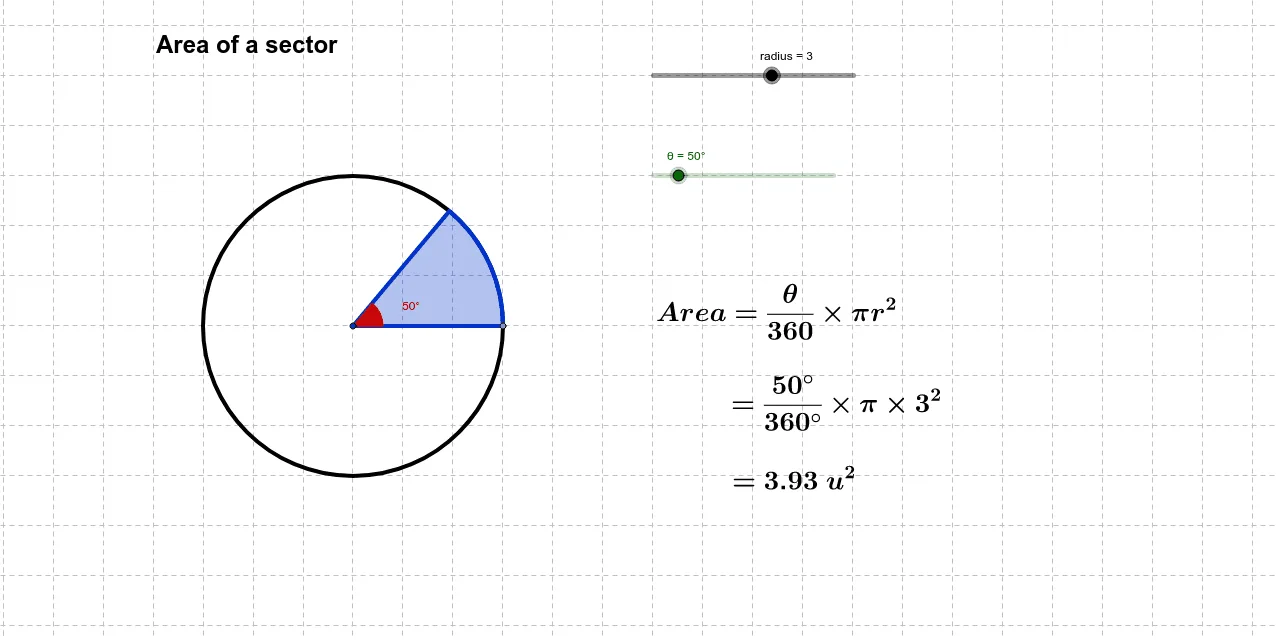
This example demonstrates how to draw a sector and calculate its area using GeoGebra. Key math concepts include circle, angle, and sector area formula. Construction highlights involve Circle, Point, Rotate, Angle, and CircleSector commands. Suitable for middle school and above students to learn sector area calculation.
GeoGebra Commands & Parameters
Circle(A, radius) → cPoint(c) → BRotate(B, θ, A) → B'Angle(B, A, B') → αCircleSector(A, B, B') → d
AI Drawing Prompt Reference
Draw a circle centered at A, then pick a point B on the circle, rotate B around A to get B', measure the angle ∠BAB', and finally draw a sector with A as the center and B and B' as the endpoints.
The prompt above was compiled from the original drawing commands and is for reference only.