
Area of a Parallelogram Formula
Loading the math board and drawing, please wait…
In collections
Parallelogramm und Raute: Flächeninhalt
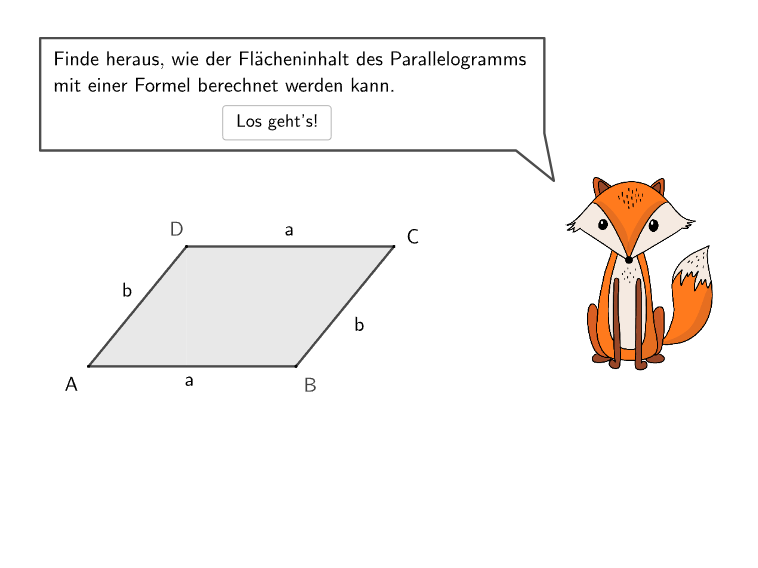
This example guides students through three progressive open questions exploring the parallelogram area formula. It demonstrates: (1) calculating area given base a=6cm and corresponding height ha=2cm to get A=12cm²; (2) the core concept that area = base × corresponding height, understanding why different side-height combinations yield identical results; (3) construction details: using Polygon for the parallelogram, Point/Segment for vertices and edges, OrthogonalLine for heights, Intersect for foot of perpendicular, and Translate to transform into a rectangle; (4) target audience: students in grades 5-6 learning area formulas, developing geometric intuition and reasoning skills.
GeoGebra Commands & Parameters
Textfield(input1) → InputBox1Textfield(input2) → InputBox2Textfield(input3) → InputBox3Textfield(input4) → InputBox4SpeechBubbleRight(E, 10, 2) → Vieleck1Polygon(F, H, G, I) → v1, f, g, h, iSpline({F, Midpoint[F, H], H}, 3) → AnimStreckeSelectedIndex(DD1) → index1SelectedIndex(DD2) → index2SelectedIndex(DD3) → index3Segment(TriAnimP2, TriAnimP3) → jAngle(TriAnimP3, TriAnimP2, TriAnimP1) → αSegment(TriAnimP3, TriAnimP1) → kSegment(TriAnimP2, TriAnimP1) → lSpeechBubbleRight(E, 9, 1.8) → Vieleck2Segment(I, J) → mSegment(J, H) → nTextfield(InputText) → InputBox5Polygon(I, J, F) → v2, p, q, rPolygon(TriAnimP1, TriAnimP2, TriAnimP3) → d1, trianimp3, trianimp1, trianimp2Polygon(I, J, H, G) → v3, i_2, j_1, h_2, g_2SelectedIndex(DD4) → index4SelectedIndex(DD5) → index5Segment(G, H) → Slide2Point(Slide2) → DynP2OrthogonalLine(DynP2, g) → sIntersect(s, Segment[F, I]) → OPoint(Segment[DynP2, Anim2EndP], schieb3) → PPolygon(P, P + Vector[DynP2, O], P + Vector[DynP2, F], P + Vector[DynP2, H]) → v4, p_1, t, a, bPolygon(DynP2, O, I, G) → v5, dynp2, o, i_1, g_1SpeechBubbleRight(POSSpeechStep6, 10, 1.6) → SpeechStep6Angle(P + Vector[DynP2, F], P + Vector[DynP2, O], P) → βText("$\textsf{\textcolor{db6114}{\bold{h_b}}}$", Midpoint[P, P + Vector[DynP2, O]] - (0.5 * UnitOrthogonalVector[Segment[DynP2, O]]), false, true, 0, 0) → Text4SpeechBubbleRight(R, 11.5, 2) → SpeechBubbleStep7Translate(v4, Vector[F, POSVEnd2]) → v4'Translate(DynP2, Vector[F, POSVEnd2]) → DynP2'Translate(O, Vector[F, POSVEnd2]) → O'Translate(I, Vector[F, POSVEnd2]) → I'Translate(G, Vector[F, POSVEnd2]) → G'Polygon(DynP2', O', I', G') → v5', dynp2', o', i', g'Translate(TriAnimP1, Vector[F, POSVEnd1]) → TriAnimP1'Translate(TriAnimP2, Vector[F, POSVEnd1]) → TriAnimP2'Translate(TriAnimP3, Vector[F, POSVEnd1]) → TriAnimP3'Polygon(TriAnimP1', TriAnimP2', TriAnimP3') → d1', trianimp3', trianimp1', trianimp2'Translate(I, Vector[F, POSVEnd1]) → I'_{1}Translate(J, Vector[F, POSVEnd1]) → J'Translate(H, Vector[F, POSVEnd1]) → H'Translate(G, Vector[F, POSVEnd1]) → G'_{1}Polygon(I'_{1}, J', H', G'_{1}) → v3', i'_{1}, j', h', g'_{1}Angle(Translate[P + Vector[DynP2, F], Vector[F, POSVEnd2]], Translate[P + Vector[DynP2, O], Vector[F, POSVEnd2]], Translate[P, Vector[F, POSVEnd2]]) → γAngle(TriAnimP3', TriAnimP2', TriAnimP1') → δPolyLine(G'_{1}, H', J', I'_{1}, G'_{1}) → VEndPoly1PolyLine(TriAnimP3', TriAnimP2', TriAnimP1', TriAnimP3') → VEndPoly2Translate(a, Vector[F, POSVEnd2]) → a'Translate(b, Vector[F, POSVEnd2]) → b'Translate(p_1, Vector[F, POSVEnd2]) → cTranslate(t, Vector[F, POSVEnd2]) → t'Segment(DynP2, P) → dTranslate(F, Vector[F, EndSkizz3POS]) → EndSkizz3P1Translate(H, Vector[F, EndSkizz3POS]) → EndSkizz3P2Translate(G, Vector[F, EndSkizz3POS]) → EndSkizz3P3Translate(I, Vector[F, EndSkizz3POS]) → EndSkizz3P4Midpoint(EndSkizz3P1, EndSkizz3P3) → EndSkizz3MPolyLine({EndSkizz3M + (Vector[EndSkizz3M, EndSkizz3P1] * relsizeEndSkizz), EndSkizz3M + (Vector[EndSkizz3M, EndSkizz3P2] * relsizeEndSkizz), EndSkizz3M + (Vector[EndSkizz3M, EndSkizz3P3] * relsizeEndSkizz), EndSkizz3M + (Vector[EndSkizz3M, EndSkizz3P4] * relsizeEndSkizz), EndSkizz3M + (Vector[EndSkizz3M, EndSkizz3P1] * relsizeEndSkizz)}) → EndSkizz3OutlinePoint(EndSkizz3Outline) → TPoint(EndSkizz3Outline) → UPoint(EndSkizz3Outline) → VPoint(EndSkizz3Outline) → WSegment(W, V) → eIntersect(OrthogonalLine[U, e], e) → ZPoint(EndSkizz3Outline) → A_1Intersect(OrthogonalLine[T, Segment[A_1, W]], Segment[A_1, W]) → B_1Segment(B_1, T) → radcon_1Segment(Z, U) → radcon_2Translate(TriAnimP2, Vector[F, POSVEnd1]) → TriAnimP2'_{1}Translate(TriAnimP3, Vector[F, POSVEnd1]) → TriAnimP3'_{1}Segment(TriAnimP2'_{1}, TriAnimP3'_{1}) → j'_{1}Translate(p_1, Vector[F, POSVEnd2]) → f_1
AI Drawing Prompt Reference
Draw a parallelogram with base a=6cm and height ha=2cm, calculate the area A=12cm². Use the polygon tool to draw the parallelogram, define vertices and edges with points and segments, use perpendicular lines to define heights, and find the foot of the perpendicular through intersection. Transform the parallelogram into a rectangle through translation to show that different side-height combinations yield the same area.
The prompt above was compiled from the original drawing commands and is for reference only.