
Area of a Parallelogram by Edward Knote
Loading the math board and drawing, please wait…
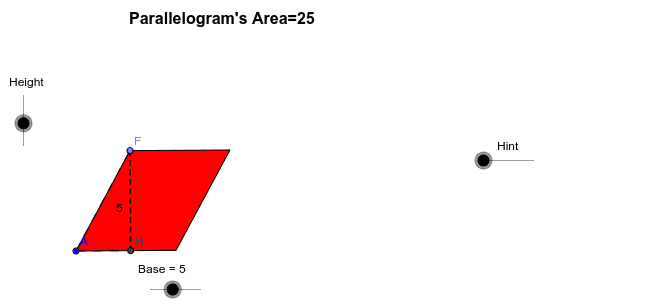
This example investigates the area formula for parallelograms. Key mathematical concepts include geometry and area calculation. Using GeoGebra commands such as Point, Segment, Polygon, etc., a parallelogram is constructed and its area in relation to its base and height is explored. Suitable for middle school and above students or teachers.
GeoGebra Commands & Parameters
Point(Circle[A, Base]) → BSegment(A, B) → cPoint(Circle[A, Height]) → CSegment(A, C) → dCircle(A, C) → eOrthogonalLine(A, c) → fOrthogonalLine(B, c) → gIntersect(e, f, 1) → DLine(D, c) → hIntersect(g, h) → ESegment(D, E) → iPoint(i) → FSegment(A, F) → jLine(B, j) → kIntersect(h, k) → GPolygon(A, F, G, B) → P, a_1, f_1, g_1, b_1OrthogonalLine(F, b_1) → lIntersect(b_1, l) → HPolygon(A, H, F) → Q, f_2, a_2, h_1Polygon(H, B, G, F) → R, h_2, b_2, g_2, f_3Vector(A, B) → uTranslate(A, Vector[m * u]) → A'Translate(H, Vector[m * u]) → H'Translate(F, Vector[m * u]) → F'Polygon(A', H', F') → Q', f', a', h'Midpoint(F, H) → JMidpoint(A, H') → ISegment(F, H) → aSegment(A, H) → b
AI Drawing Prompt Reference
Draw a parallelogram and calculate its area based on its base and height. Start by drawing circles with point A as the center and the base and height as radii, finding the intersection points B and C with the base. Connect AC and BC to form the parallelogram ABCD. Then, draw a perpendicular line from A to the base, find the foot of the perpendicular F, and draw a parallel line from F to the other side, finding the intersection point G. Connect AG and GB to form the parallelogram. Adjust the shape, keeping the parallelogram's form unchanged, move point A and F, and observe the change in the parallelogram's area.
The prompt above was compiled from the original drawing commands and is for reference only.