
Area of 2D Shapes
Loading the math board and drawing, please wait…
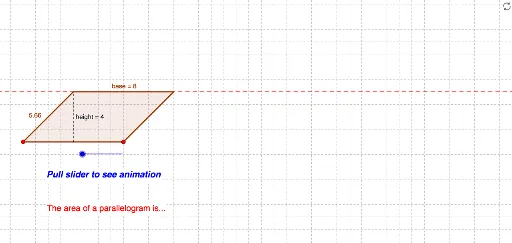
This example demonstrates how to calculate the area of 2D shapes like trapezoids and histograms using GeoGebra. Key math concepts include area formulas, vector operations, and geometric transformations. Construction highlights involve commands such as Point, OrthogonalLine, Intersect, Rotate, Polygon, Distance, Vector, and Translate. Suitable for middle school and above students to learn area calculation methods for geometric figures.
GeoGebra Commands & Parameters
Point(c) → BPoint(b) → DOrthogonalLine(D, c) → dIntersect(c, d) → GPoint(c) → APoint(c) → CAngle(B, A, D) → αRotate(C, α, B) → EAngle(C, B, E) → βLine(B, E) → aIntersect(b, a) → FPolygon(D, A, G) → P, g, d_1, a_1Polygon(G, B, F, D) → Q, g_1, b_1, base, d_2Distance(g_1, g) → hVector((((d_1 + g_1) * (1 - ttt)), 0)) → uTranslate(D, u) → D'Translate(A, u) → A'Translate(G, u) → G'Polygon(D', A', G') → P', g', d', heightIf(e ≟ 100, AnchorPoint) → Showanswer
AI Drawing Prompt Reference
Draw a trapezoid and a histogram to demonstrate how to calculate their areas. Start by drawing a base line and a perpendicular line from one endpoint of the base. Find the intersection of the base and the parallel line. Use angles and rotation to construct a parallel side, forming the trapezoid. Then, draw a histogram below the trapezoid. Calculate the heights of the trapezoid and histogram to show the area formulas. Finally, translate the trapezoid and histogram along the base direction and display their calculated areas.
The prompt above was compiled from the original drawing commands and is for reference only.