
Area Exploration: Random Experiments and Inequality Verification
Loading the math board and drawing, please wait…
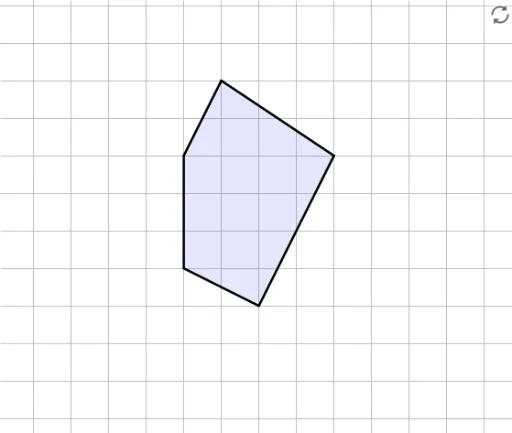
① This interactive example demonstrates how to verify area calculations of a polygon through random experiments and inequality comparisons. ② Core math concepts include polygon area, real numbers, random experiments, inequalities, and angle relationships; users input an estimated area and compare it with the true area. ③ Construction details: uses GeoGebra's Polygon command to create a polygon with vertices A, B, C, D, E, a Textfield and InputBox1 for user input, a button1 to trigger checking, variables like areaSum and trueAreaSum to compute sums, and objects such as correctInput, correctText, wrongText to provide feedback. ④ Suitable for middle school or introductory geometry lessons, helping students solidify area formulas, practice estimation, and understand the role of random experiments and inequalities in mathematical verification.
GeoGebra Commands & Parameters
Polygon(A, B, C, D, E) → target, a, b, c, d, eTextfield() → InputBox1
AI Drawing Prompt Reference
Draw a polygon with five vertices labeled A, B, C, D, and E. Users can input an estimated area in a text box and click a button to verify if it matches the true area. The graphic will show feedback messages indicating correct or incorrect results, helping users understand area calculations and inequality verification.
The prompt above was compiled from the original drawing commands and is for reference only.