
Arc Length and Sector Area by Rasha Tarek
Loading the math board and drawing, please wait…
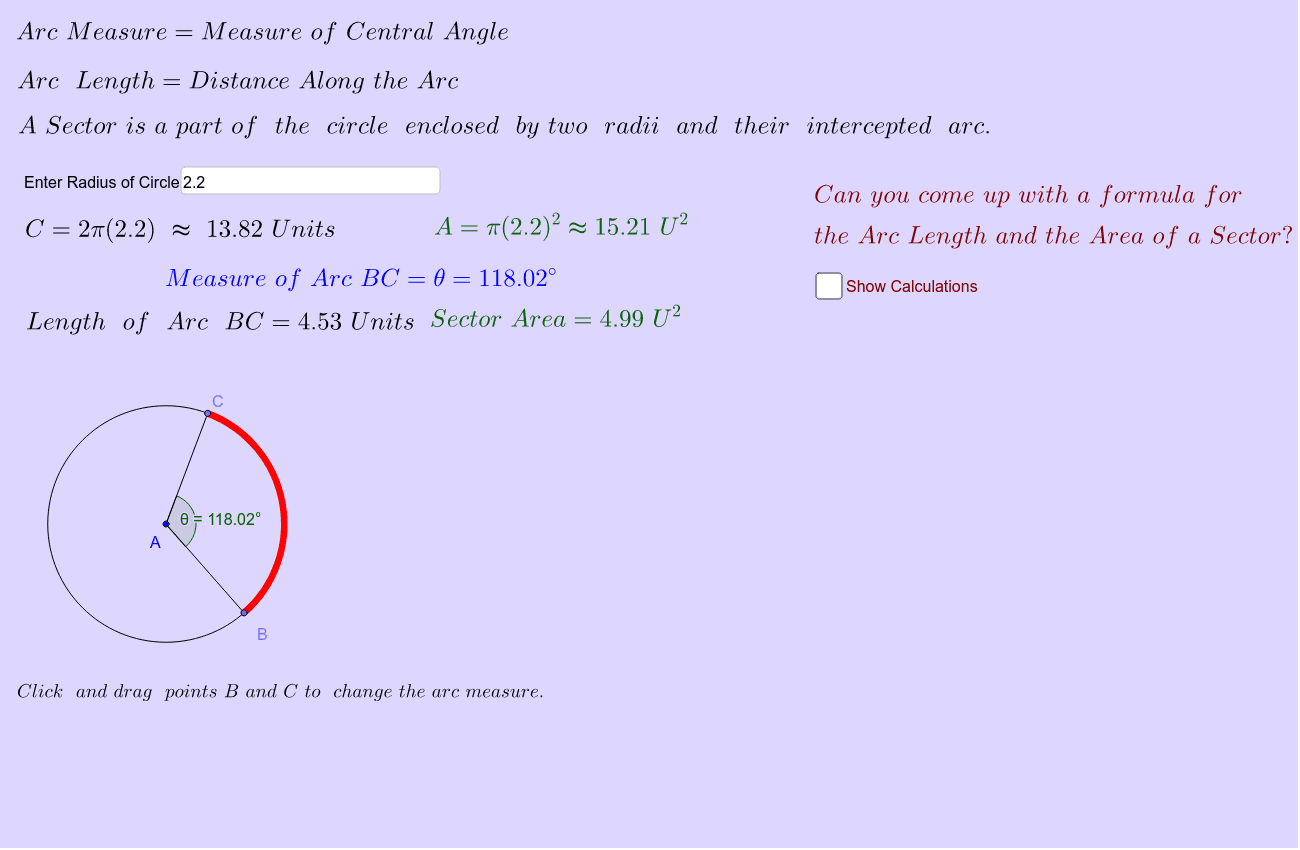
This example demonstrates the calculation and visualization of arc length and sector area in a circle. It involves core mathematical concepts such as circumference, sector area, central angle, and trigonometric functions. The construction uses GeoGebra commands and objects like Point, Polygon, Area, Arc, Textfield, Angle, Segment, Circumference, Length to build the circle, arcs, and sectors, and calculate related properties. It is suitable for high school mathematics teaching to understand basic circle properties and calculation methods.
GeoGebra Commands & Parameters
Point(c) → BPoint(c) → CPolygon(B, A, C) → poly2, c_2, b_2, a_2Area(poly2) → gArc(c, B, C) → dArea(d) → SectorAreaTextfield(r) → InputBox1Angle(B, A, C) → θSegment(A, B) → aTextfield(θ) → InputBox2Segment(A, C) → bCircumference(c) → eLength(d) → ArcLengthPoint(d) → DArea(c) → Area
AI Drawing Prompt Reference
Draw a circle with a center point and two points on the circle. Connect the center to the two circle points to form two radii and a triangle, and mark the central angle between them. Draw an arc on the circle from one circle point to the other, and place a point on this arc. Show the arc length, the sector area bounded by the two radii and the arc, the triangle area, the circle circumference, and the circle area. Include editable text fields for the radius and the central angle so the figure can demonstrate how arc length and sector area are calculated.
The prompt above was compiled from the original drawing commands and is for reference only.