
Approximating the Area of a Circle
Loading the math board and drawing, please wait…
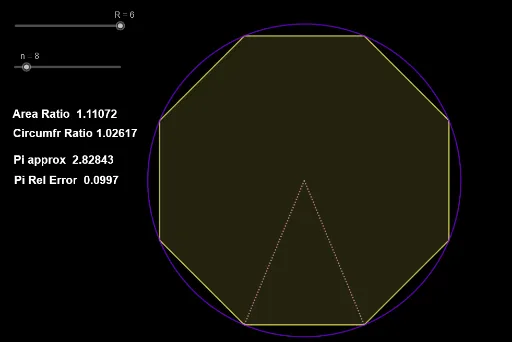
This example demonstrates approximating the area of a circle by changing its radius. It involves basic concepts of circles such as radius and pi. Using GeoGebra commands like Circle, Polygon, and Segment, the dynamic changes in the circle's area can be observed. Suitable for students in middle school and above to learn related concepts in geometry and calculus.
GeoGebra Commands & Parameters
Circle((0, 0), R) → cPolygon((x1, y1), (x2, y1), n) → poly1Segment((0, 0), Vertex[poly1]) → fSegment((0, 0), Vertex[poly1, 2]) → gSegment((0, 0), Vertex[poly1, 3]) → h
AI Drawing Prompt Reference
Draw a circle and approximate its area by changing the radius. First, create a circle centered at the origin. Then, form a polygon with vertices evenly distributed around the circle. Finally, connect the origin to three vertices of the polygon with line segments to show how the polygon approximates the circle.
The prompt above was compiled from the original drawing commands and is for reference only.