
Approximating Area Under a Curve by MrQuinn
Loading the math board and drawing, please wait…
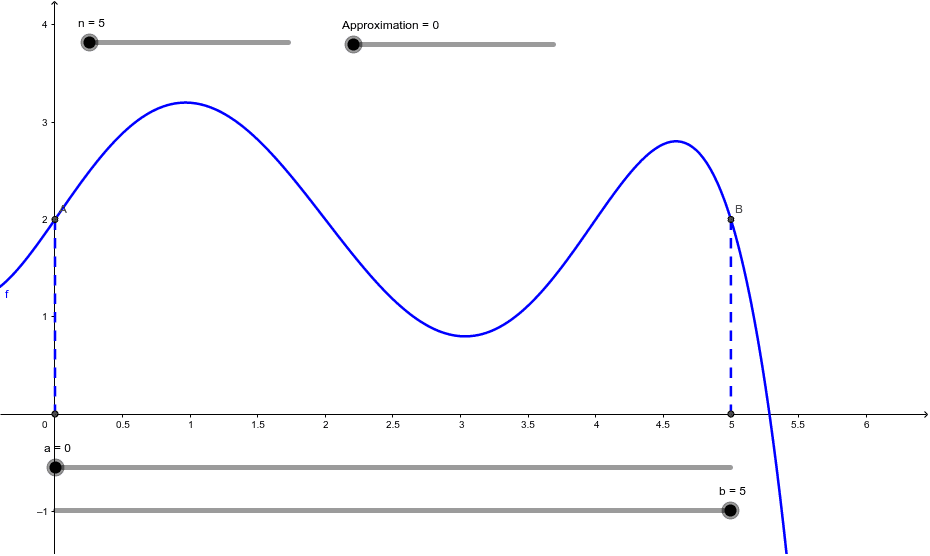
This example explores how to approximate the area under a curve on a closed interval, helping students understand the concept of integration. Key mathematical concepts include integration, trapezoidal rule, and rectangle rule. Using GeoGebra commands such as Intersect, LowerSum, UpperSum, and TrapezoidalSum, students can visually see the effects of different approximation methods. Suitable for high school math education and students learning calculus.
GeoGebra Commands & Parameters
Intersect(f, c) → AIntersect(f, d) → BIntersect(c, xAxis) → CIntersect(d, xAxis) → DSegment(A, C) → eSegment(B, D) → gLowerSum(f, a, b, n) → LowerSumUpperSum(f, a, b, n) → UpperSumIntegral(f, a, b) → ExactAreaTrapezoidalSum(f, a, b, n) → TrapezoidalSumRectangleSum(f, a, b, n, 0) → LRAMRectangleSum(f, a, b, n, 1) → RRAMRectangleSum(f, a, b, n, 0.5) → MRAM
AI Drawing Prompt Reference
Draw a function graph and mark two points on the x-axis. Connect these points to the intersection points of the function to form two line segments. Below the function, illustrate areas approximating the integral using rectangle, trapezoidal, left rectangle, right rectangle, and midpoint rectangle methods, with different colors for distinction. Also, show the exact integral area under the function over the interval for comparison with the approximation methods.
The prompt above was compiled from the original drawing commands and is for reference only.