
Application of Matrices in Geometry: Trapezoid and Rectangle Problems
Loading the math board and drawing, please wait…
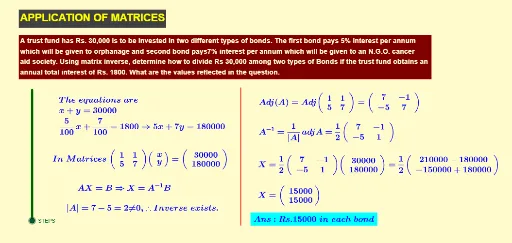
This example demonstrates how to use matrix methods to solve geometric problems involving trapezoids and rectangles. By establishing a coordinate system, vertices of geometric figures are represented as coordinates, and matrix operations are applied to calculate geometric quantities. Key mathematical concepts include matrix transformations, coordinate geometry, geometric mean, and equation solving. Construction: Use Point command to create key points (A, B, C, etc.), Segment command to form trapezoid and rectangle boundaries, with text objects displaying the calculation process. Suitable for senior high school and introductory linear algebra students,可以作为矩阵几何应用的教学演示。
GeoGebra Commands & Parameters
Segment(A, B) → fPoint(xAxis) → C
AI Drawing Prompt Reference
Draw a trapezoid and rectangle shape. First, create key points like A, B, C in a coordinate system. Then, use line segments to connect these points to form the boundaries of the trapezoid and rectangle. Finally, add text objects to display the calculation process.
The prompt above was compiled from the original drawing commands and is for reference only.