
Apollonius and Ellipse Tangent
Loading the math board and drawing, please wait…
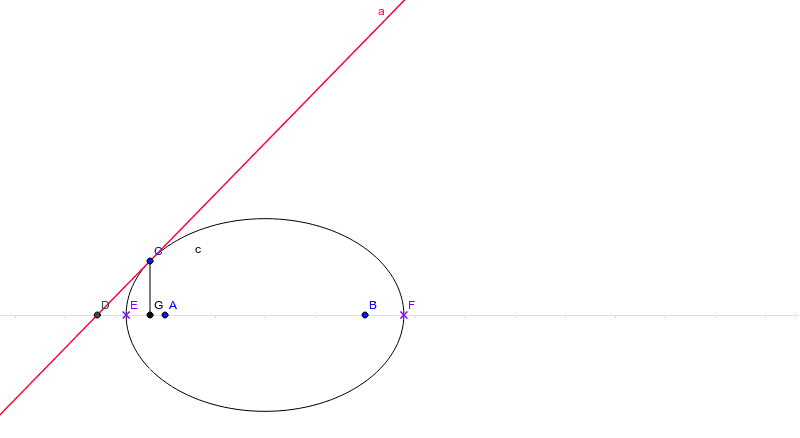
This example demonstrates how to construct a tangent line to an ellipse using GeoGebra. Key mathematical concepts include ellipses, tangents, and geometric constructions. The commands used include Ellipse, Tangent, Intersect, OrthogonalLine, and Segment. Suitable for high school mathematics education and learning coordinate geometry.
GeoGebra Commands & Parameters
Ellipse(A, B, C) → cTangent(C, c) → a,Intersect(a, xAxis) → DIntersect(c, xAxis) → E, FOrthogonalLine(C, xAxis) → bIntersect(b, xAxis) → GSegment(C, G) → d
AI Drawing Prompt Reference
Draw an ellipse, then draw the tangent line at any point on the ellipse, find the intersection of the tangent line with the x-axis, find the intersections of the ellipse with the x-axis, draw a line perpendicular to the x-axis through the chosen point on the ellipse, and finally draw the segment from the chosen point to the intersection of the perpendicular line with the x-axis.
The prompt above was compiled from the original drawing commands and is for reference only.