
Another Conic?
Loading the math board and drawing, please wait…
In collections
Conic Sections
This example demonstrates another conic section, specifically a hyperbola. It involves basic concepts of conic sections. Using GeoGebra commands such as Circle, PointIn, Point, LineBisector, etc., a hyperbola can be constructed. Suitable for high school mathematics education and learning.
GeoGebra Commands & Parameters
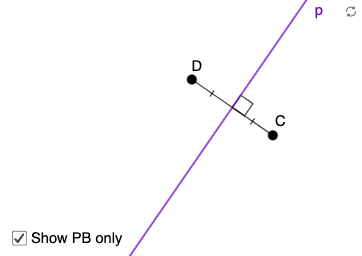
Circle(A, B) → cPointIn(a) → CPoint(c) → DLineBisector(D, C) → pRay(A, D) → gIntersect(p, g) → HSegment(D, H) → hSegment(H, C) → iSegment(A, D) → fMidpoint(D, C) → ESegment(D, E) → jSegment(E, C) → kPoint(p) → FAngle(C, E, F) → α
AI Drawing Prompt Reference
Draw a plane configuration starting with two points A and B and a circle c determined by them. Choose a point C on the circle and place point D corresponding to that point. Construct the bisector line p associated with points D and C. From A draw a ray g passing through D, and find its intersection with p as point H. Draw the segments DH (h), HC (i), and AD (f). Compute the midpoint E of DC and draw segments DE (j) and EC (k). Finally, take point F on p and mark the angle α at points C, E, and F.
The prompt above was compiled from the original drawing commands and is for reference only.