
Animated Demonstration of Right Angles
Loading the math board and drawing, please wait…
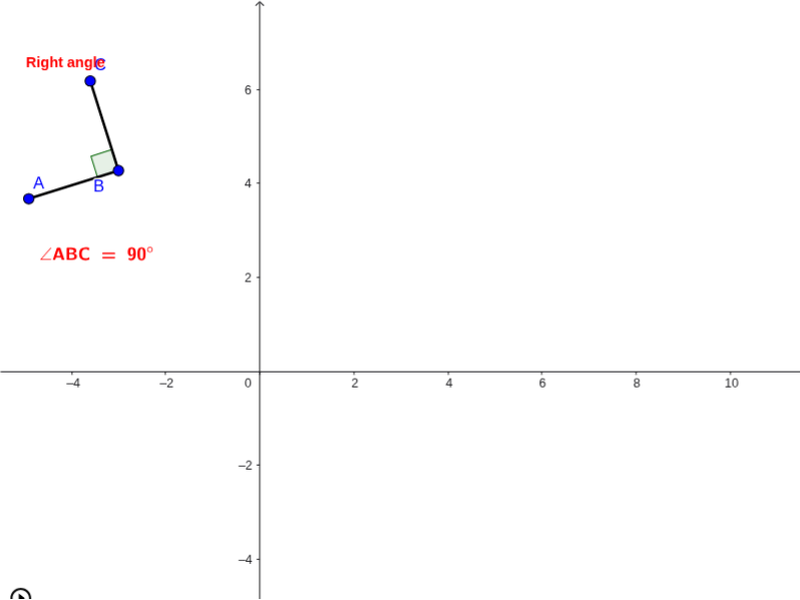
This GeoGebra example provides an animated visualization of right angles and perpendicular relationships in plane geometry. It demonstrates how two segments or rays intersect to form a 90° angle, with dynamic updates illustrating angle classification. Core mathematical concepts include right angles, perpendicularity, acute and obtuse angles, points on a circle, and rotational transformation. The construction uses GeoGebra commands Circle, Point, Rotate, Angle, and Segment to create objects such as circle a, points A, B, C, A₁, angles α, β, γ, and segments b, c, d, e, along with a text label text1. Suitable for middle school geometry (grades 7–9) and introductory lessons on angle types and perpendicular lines.
GeoGebra Commands & Parameters
Circle(B, a) → cPoint(c) → A_1Rotate(A_1, α, B) → CAngle(A_1, B, C) → βSegment(B, C) → bSegment(B, A_1) → dRotate(C, 90.0*°, B) → AAngle(C, B, A) → γSegment(B, A) → e
AI Drawing Prompt Reference
Create an animated geometric illustration showing how two line segments or rays intersect to form a 90-degree angle, with dynamic updates illustrating angle classification. The diagram includes a circle with points connected by line segments, forming various types of angles like acute and obtuse. Demonstrate the process of rotating 90 degrees to form a right angle, suitable for middle school geometry lessons.
The prompt above was compiled from the original drawing commands and is for reference only.