
Angles as Rotations: Dynamic Visualization
Loading the math board and drawing, please wait…
In collections
Introduction to Geometry
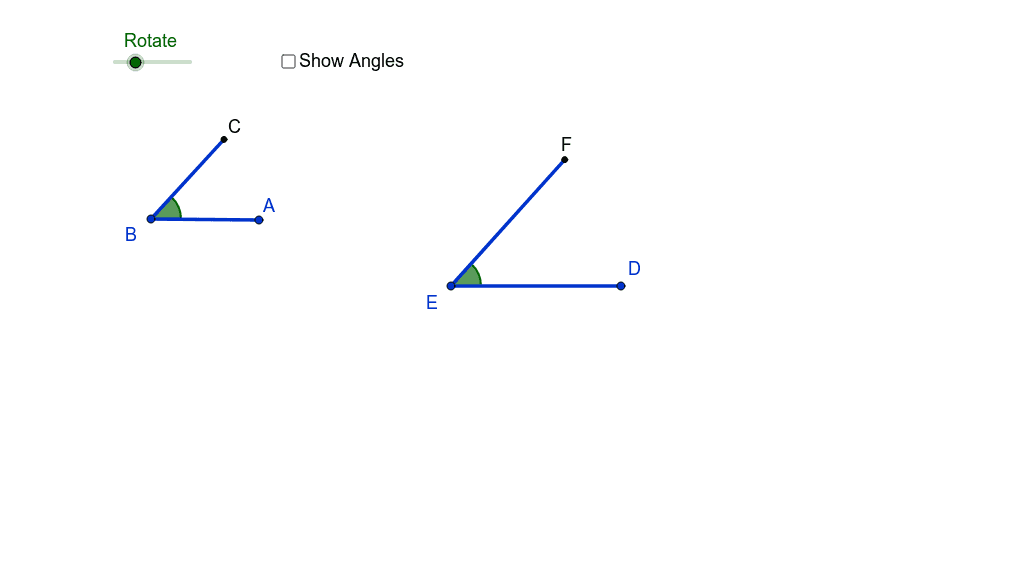
① This example demonstrates how an angle can be interpreted as a rotation, showing a ray rotating around a vertex to form an angle and the resulting positions of rotated segments. ② The core mathematical concept is the rotational definition of angles, including rotation center, rotation angle, direction (positive/negative), and the relationship between the original and rotated figures. ③ Construction details: Using GeoGebra commands Segment to create lines, Rotate to rotate a segment around point A by a specified angle, and Angle to mark the rotated angles β₁ and γ; objects include B, A, a, A', C, a', E, D, b, D', F, b', with text objects text1 and text2 displaying angle measures. ④ Suitable for middle and high school students learning geometric transformations and angle concepts, as well as teachers for classroom demonstrations to visualize how angles arise from rotation, laying groundwork for trigonometry and vector rotations.
GeoGebra Commands & Parameters
Segment(B, A) → aRotate(B, Rotate, B) → A'Rotate(A, Rotate, B) → CSegment(A', C) → a'Angle(A, B, C) → β_1Segment(E, D) → bRotate(E, Rotate, E) → D'Rotate(D, Rotate, E) → FSegment(D', F) → b'Angle(D, E, F) → γ
AI Drawing Prompt Reference
Create a diagram showing angles as rotations. Start with a ray from a vertex, then rotate this ray around the vertex by a certain angle to form another ray, and mark the original and rotated segments. Use an arc to indicate the rotation angle and display its measure. Then create a second similar rotation from another vertex, rotating a segment and marking the corresponding angle. The figure includes two separate rotation examples, each with an original segment, a rotated segment, a rotation center, and a labeled angle, to illustrate the rotational concept of angles.
The prompt above was compiled from the original drawing commands and is for reference only.