
Angle Between Two Planes by Rabih Khater
Loading the math board and drawing, please wait…
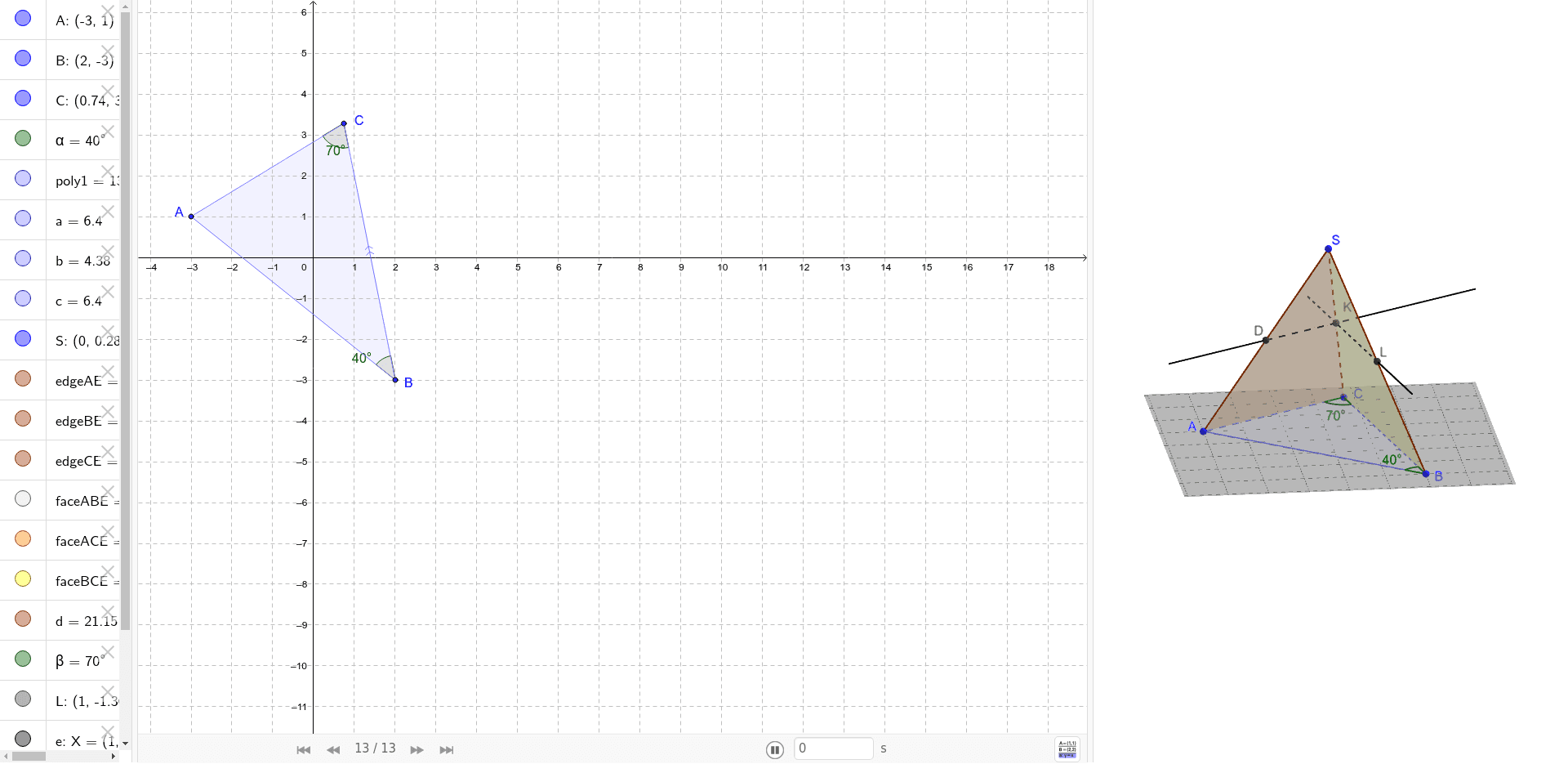
This example demonstrates how to calculate the angle between two planes using geometric construction. Key mathematical concepts include the angle between planes in solid geometry. Using GeoGebra commands such as Rotate, Angle, and Polygon, two intersecting planes are constructed, and the angle between them is measured. Suitable for high school students studying solid geometry.
GeoGebra Commands & Parameters
Rotate(A, -40*°, B) → CAngle(C, B, A) → αPolygon(A, B, C) → poly1, c, a, bPyramid(poly1, S) → d, faceABE, faceBCE, faceACE, edgeAE, edgeBE, edgeCEAngle(A, C, B) → βMidpoint(edgeBE) → LLine(L, a) → eIntersect(e, edgeCE) → KLine(K, b) → fIntersect(f, edgeAE) → D
AI Drawing Prompt Reference
Draw two intersecting planes and measure the angle between them. First, rotate point A around point B by 40 degrees counterclockwise to get point C. Then, construct angle ABC and measure its angle α. Next, use points A, B, and C to construct a triangle, and then build a pyramid based on this triangle to measure angle ACB, getting angle β. Finally, find the midpoint of a specific edge of the pyramid, construct a line through this midpoint and one side of the triangle, and find its intersection with another side to complete the drawing.
The prompt above was compiled from the original drawing commands and is for reference only.