
Analyzing Real and Imaginary Parts of Complex Numbers
Loading the math board and drawing, please wait…
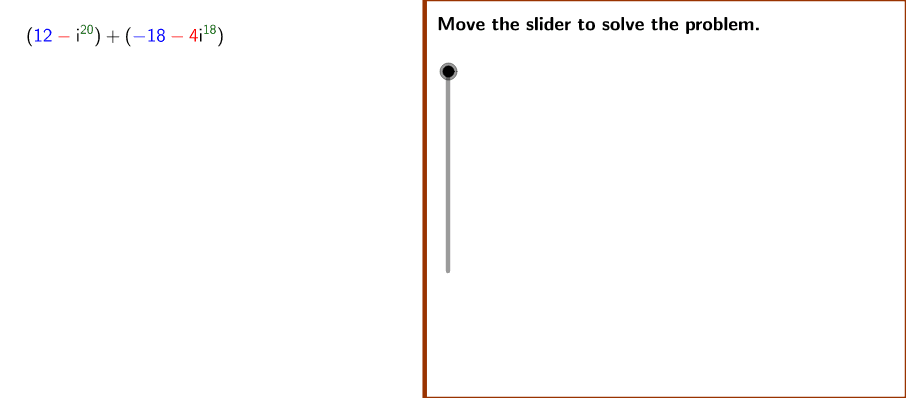
This example demonstrates how to use GeoGebra to compute and determine whether the sum of complex numbers is purely real, purely imaginary, or has both real and imaginary parts. The core mathematical concepts involved include complex number operations, real and imaginary parts, and exponentiation. Key GeoGebra commands and objects used in the construction include Polygon, Div, If, and Mod. It is suitable for high school mathematics teaching, particularly for demonstrating the operations and properties of complex numbers.
GeoGebra Commands & Parameters
Polygon((Edge, y(Corner[1])), Corner[2], Corner[3], (Edge, y(Corner[4]))) → Mask, a, b, c, dDiv(power1, 4) → r1If(x(num1 + num2) ≠ 0, x(num1 + num2), "") → finalRealMod(power1, 4) → rem1Mod(power2, 4) → rem2If(x(num1 + num2) ≟ 0, 2, If[y(num1 + num2) ≟ 0, 1, 3]) → ConclusionCountIf(abs(imaginary1) ≟ 1, If[imaginary1 ≟ 1, "", "-"], LaTeX[imaginary1]) → imaginary1aIf(abs(imaginary2) ≟ 1, If[imaginary2 ≟ 1, "", "-"], LaTeX[imaginary2]) → imaginary2a
AI Drawing Prompt Reference
Draw a graph showing the sum of two complex numbers, including a quadrilateral representing their sum. Calculate the sum of two complex numbers and determine if the result is purely real, purely imaginary, or has both real and imaginary parts. Use conditional statements to identify the result type and label the real and imaginary parts on the graph.
The prompt above was compiled from the original drawing commands and is for reference only.