
Analog Clock Simulation
Loading the math board and drawing, please wait…
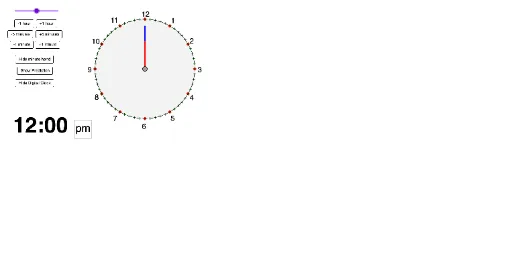
This example demonstrates an analog clock, involving concepts such as angles, trigonometry, and geometric construction. Using GeoGebra commands like Circle, Rotate, and Intersect, the hour and minute hands of the clock are constructed. Suitable for middle school students learning geometry and trigonometry.
GeoGebra Commands & Parameters
Circle(A, circlesize) → cOrthogonalLine(A, xAxis) → aIntersect(c, a, 2) → BRotate(B, (((-minutespassed))° * 6), A) → MinuteReferenceRotate(B, (-((minutespassed° * 0.5))), A) → HourReferenceSequence(Rotate[B, n, A], n, 0, 360°, 30°) → list1Sequence(Rotate[B, n, A], n, 0, 360°, 6°) → list2Circle(A, minutelength) → dCircle(A, hourlength) → eSegment(A, MinuteReference) → bSegment(A, HourReference) → fIntersect(e, f, 1) → CIntersect(d, b, 1) → DSegment(A, C) → gSegment(A, D) → hMod(minutespassed, 60) → digitalminutesIf(Mod[floor(minutespassed / 60), 12] ≟ 0, 12, Mod[floor(minutespassed / 60), 12]) → digitalhoursPoint(d) → EPoint(e) → FSegment(A, E) → iSegment(A, F) → jCorner(5) → CanvasSize