
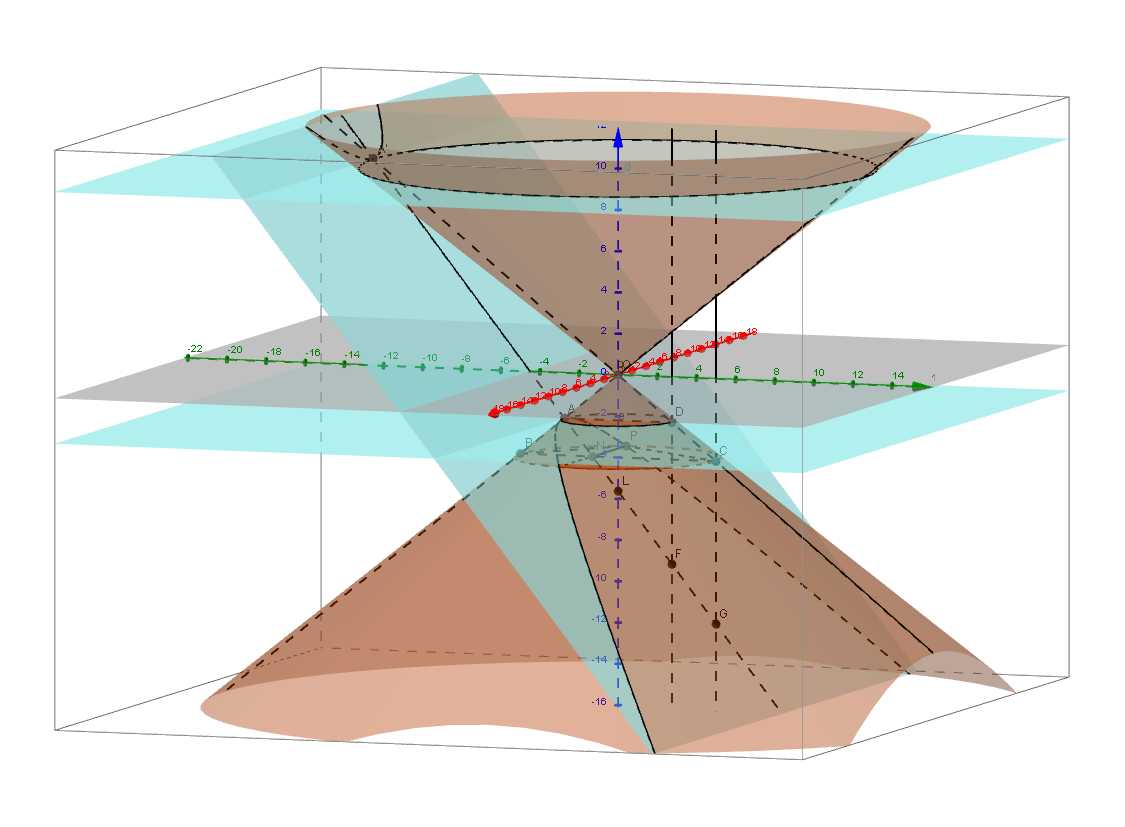
Amblytome (Labeled)
Loading the math board and drawing, please wait…
This example demonstrates the section of an acute-angled cone, known as an amblytome. It involves conic sections and uses various GeoGebra commands such as Intersect, Plane, and Cone. Suitable for high school mathematics education and learning.
GeoGebra Commands & Parameters
Intersect(zAxis, a) → KPlane(K, yAxis) → iIntersect(zAxis, xOyPlane) → OCone(K, O, 5) → f, botcirc, hIntersect(i, botcirc) → B, CAngle(B, O, C) → αConeInfinite(O, zAxis, α / 2) → cLine(O, B) → jIntersect(k, j) → AOrthogonalPlane(A, j) → cutplaneIntersectPath(d, c) → topcircIntersect(j, topcirc) → C2,IntersectPath(cutplane, c) → hyperb2IntersectPath(cutplane, f) → hyperb1Line(O, C) → lIntersect(l, topcirc) → B2,Intersect(l, hyperb1) → A',Intersect(cutplane, topcirc) → T2, S2Intersect(cutplane, botcirc) → S, PAngle(A', O, C2) → βMidpoint(S, P) → NAngle(O, A, N) → γMidpoint(S2, T2) → G2Line(A, A') → axisSegment(N, P) → mSegment(B, C) → qSegment(B, P) → rSegment(P, C) → sIntersectPath(k, c) → pIntersect(l, p) → D,Intersect(zAxis, axis) → LSegment(D, A) → eOrthogonalLine(D, e, x + 0z = 0) → gOrthogonalLine(C, q, x + 0z = 0) → nIntersect(g, axis) → FIntersect(n, axis) → G
AI Drawing Prompt Reference
Draw the section of a cone cut by a plane, including the cone, base circle, section, vertex, base center, cutting line, hyperbola, etc. First, establish a coordinate system and draw the cone, then draw the base circle and section, find the intersection points of the cutting line and base circle, construct the hyperbola, and finally connect the relevant points and lines to form the complete section figure.
The prompt above was compiled from the original drawing commands and is for reference only.