
Ambiguous Case for Law of Sines
Loading the math board and drawing, please wait…
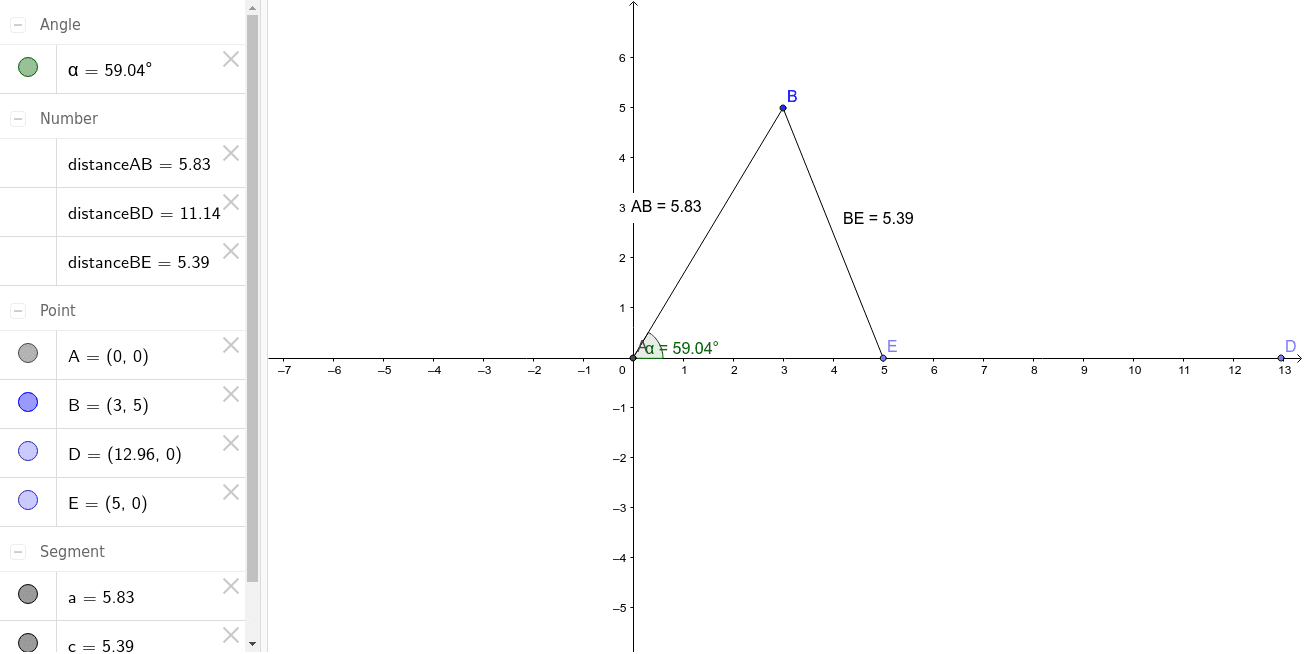
This example demonstrates the ambiguity in applying the Law of Sines to solve for triangle sides and angles. It involves trigonometric concepts, geometric constructions, and the use of GeoGebra commands like Intersect, Segment, Point, Angle, Distance, and Midpoint. Suitable for students learning trigonometry and geometry, especially understanding the limitations of the Law of Sines.
GeoGebra Commands & Parameters
Intersect(xAxis, yAxis) → ASegment(A, B) → aPoint(xAxis) → DAngle(D, A, B) → αDistance(A, B) → distanceABDistance(B, D) → distanceBDPoint(Circle[B, 5.39]) → ESegment(B, E) → cDistance(B, E) → distanceBEMidpoint(B, E) →
AI Drawing Prompt Reference
Draw a right-angle coordinate system, connect a point on the x-axis to a point on the y-axis to form a line segment, draw another line segment from the x-axis point forming an angle with the first segment, draw a circle with the opposite side of the angle as the center intersecting the line segment, connect the intersection point to the angle vertex to form a triangle, use a slider to change parameters and observe the ambiguity in solutions.
The prompt above was compiled from the original drawing commands and is for reference only.