
Altitude to the Hypotenuse: Geometric Mean via Similar Triangles
Loading the math board and drawing, please wait…
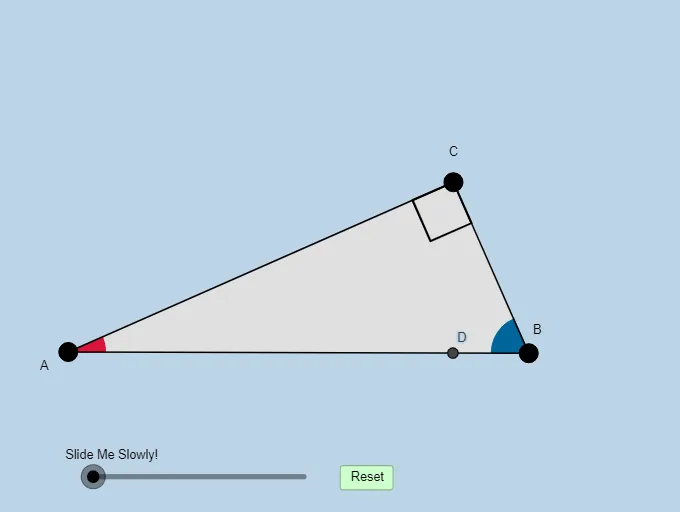
This GeoGebra applet lets students construct the altitude from the right angle of a right triangle to its hypotenuse, then visually discover (or recall) the geometric-mean relationship produced by that altitude. The key ideas are the geometric mean theorem for right triangles, similarity of triangles created by the altitude, and the use of angles and perpendicular constructions to ensure the correct configuration. Construction proceeds by creating the base geometry (using a semicircle/Thales-type setup), forming the right triangle with points and segments, drawing the orthogonal altitude, and locating intersections that define the hypotenuse segments. The applet further supports consistent building and placement using geometric transforms such as rotation, translation, and dilation, along with vector representations for directed construction. Commands highlighted in the underlying build include Semicircle, Point, Segment, Min, Midpoint, OrthogonalLine, Circle, Intersect, Angle, Polygon, CircleSector, Dilate, Vector, Translate, CircleArc, and Rotate, with objects like A, B, C, d, e, poly1/poly2, and intersection points (e.g., C_1, d_1, e_1, d_2, e_2) marking the relevant triangle parts. Suitable for secondary-school geometry lessons, exploratory learning, and quick classroom demonstrations of similarity and geometric mean in right triangles.
GeoGebra Commands & Parameters
Semicircle(A, B) → dPoint(d) → CSegment(C, B) → fSegment(A, C) → eSegment(A, B) → aMin(a, f) → mMin(a, e) → lMin(l, m) → nMidpoint(a) → C_1OrthogonalLine(C_1, a) → bCircle(C_1, A) → cOrthogonalLine(C, a) → gIntersect(g, a) → ESegment(C, E) → hAngle(B, E, C) → αAngle(A, C, B) → βPolygon(A, E, C) → poly1, d_1, a_1, e_1Polygon(E, B, C) → poly2, d_2, e_2, b_1Circle(A, (0.2 * n)) → kCircle(C, (0.2 * n)) → pCircle(B, (0.2 * n)) → qIntersect(p, e_1, 1) → FIntersect(a_1, b_1) → GIntersect(a_1, b_1) → HIntersect(p, h, 1) → IIntersect(p, f, 1) → JIntersect(q, a, 1) → KIntersect(q, f, 1) → LIntersect(k, a, 1) → MIntersect(k, e, 1) → NCircleSector(A, M, N) → rDilate(C, If[-2 < i < -1, -1 - i, 0], E) → D'Segment(C, D') → jCircleSector(B, L, K) → tAngle(C, E, A) → γDilate(A, If[-0.5 < i ≤ 0.5, 0.5 - i, 0], C) → A'Vector(A, A') → uTranslate(r, u) → r'CircleArc(A, M, N) → f_1Dilate(B, If[1.5 < i ≤ 2.5, 2.5 - i, 0], C) → B'Vector(B, B') → vTranslate(t, v) → t'CircleArc(B, L, K) → g_1Polygon(A, B, C) → poly3, d_3, a_2, b_2Rotate(r', If[0.5 < i ≤ 1.5, ((-(i - 0.5)) * π / 2), -1.5707963267948966], C) → r''Translate(t, v) → t'_1Rotate(t'_1, If[2.5 < i ≤ 3.5, ((i - 2.5) * 90°), 90°], C) → sIntersect(a, j) → D
AI Drawing Prompt Reference
Draw a right triangle with a perpendicular from the right angle to the hypotenuse, showing the similar triangles formed and the geometric mean relationship created by the perpendicular. Start by constructing a right triangle with a semicircle, then draw the altitude, find intersections, and label the similar triangles and geometric mean. Use geometric transformations like rotation, translation, and dilation, along with vector representations, to demonstrate the properties of similarity and geometric mean.
The prompt above was compiled from the original drawing commands and is for reference only.