
Algebraic Quadrilaterals: Constructing Quadrilaterals from Side Length Expressio
Loading the math board and drawing, please wait…
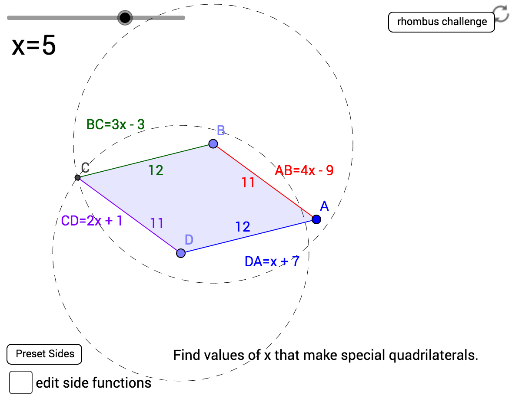
① This example demonstrates how to dynamically construct a quadrilateral based on algebraic expressions for its four side lengths, showing real-time updates of side measurements and shape. ② Core math concepts include algebraic expressions, linear equations, quadrilateral properties, geometric construction, and parametric thinking, with extensions to roots, probability, and logic. ③ Construction highlights: using GeoGebra commands such as Circle, Point, Segment, Intersect, Polygon, Midpoint, Textfield, and Random, with objects s_1 to s_4 as side-length variables, InputBox1-4 for editing expressions, presets and random buttons for generating different combinations, and polygon poly1 with sides AB, BC, CD, DA forming the dynamic quadrilateral. ④ Suitable for middle and high school algebra-geometry integration, helping students explore how side-length changes affect quadrilateral shapes and fostering algebraic modeling and geometric intuition.
GeoGebra Commands & Parameters
Circle(A, s_4(a)) → cCircle(A, s_1(a)) → dPoint(c) → DCircle(D, s_3(a)) → eSegment(A, D) → fPoint(d) → BCircle(B, s_2(a)) → gIntersect(e, g, 1) → CPolygon(A, B, C, D) → poly1, a_1, c_1, d_1, bMidpoint(a_1) → EMidpoint(b) → FMidpoint(c_1) → GMidpoint(d_1) → HTextfield(s_1) → InputBox1Textfield(s_2) → InputBox2Textfield(s_3) → InputBox3Textfield(s_4) → InputBox4Random(3, 12) → r_y