
Addition of Like Real Fractions
Loading the math board and drawing, please wait…
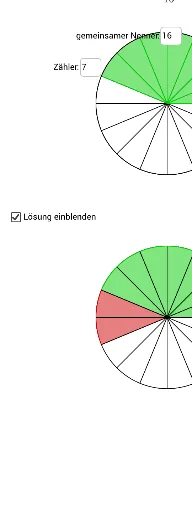
This example demonstrates the addition of like real fractions with geometric representation. It involves core math concepts: fraction addition, real number operations, and inequalities. Construction highlights include commands like Circle, Sequence, If, Mod, and Textfield. Suitable for middle school and above mathematics education, visualizing the fraction addition process.
GeoGebra Commands & Parameters
Circle((2, 2), 2) → cSequence(Rotate[B, ((t * 360) * ° / n_1), A], t, 0, n_1, 1) → Liste1Sequence(Segment[A, Element[Liste1, t]], t, 1, n_1, 1) → Liste2Sequence(Sector[c, Element[Liste1, t], Element[Liste1, t + 1]], t, 1, z_1, 1) → Liste3Circle(C, D) → dSequence(Rotate[D, ((t * 360) * ° / n_2), C], t, 0, n_2, 1) → Liste4Sequence(Segment[C, Element[Liste4, t]], t, 1, n_2, 1) → Liste5Sequence(Sector[d, Element[Liste4, t], Element[Liste4, t + 1]], t, 1, z_2, 1) → Liste6Circle((2, 2), 2) → c_1If(n_1 ≟ n_2 ∧ z_1 + z_2 > n_1, 2, 1) → aSequence(Circle[(2 + ((t - 1) * 6), -4), 2], t, 1, a) → MPSequence((4 + ((t - 1) * 6), -4), t, 1, a) → Liste7Mod(z_1 + z_2, n_1) → r_1Sequence((2 + ((t - 1) * 6), -4), t, 1, a) → Liste8If(z_1 + z_2 > n_1, 8, 7) → s_1Sequence(Rotate[Element[Liste7, 1], ((t * 360) * ° / n_1), Element[Liste8, 1]], t, 0, n_1, 1) → Liste12Sequence(Rotate[Element[Liste7, 2], ((t * 360) * ° / n_1), Element[Liste8, 2]], t, 0, n_1, 1) → Liste13Sequence(Sector[Element[MP, 2], Element[Liste13, t], Element[Liste13, t + 1]], t, 1, z_1 + z_2 - n_1, 1) → Liste11Textfield(n_1) → Textfeld1Textfield(z_1) → Textfeld2Textfield(z_2) → Textfeld3Sequence(Segment[Element[Liste8, 2], Element[Liste13, t]], t, 1, n_1, 1) → Liste32Sequence(Sector[Element[MP, 2], Element[Liste13, t], Element[Liste13, t + 1]], t, 1, r_1, 1) → Liste102Sequence(Sector[Element[MP, 1], Element[Liste12, t], Element[Liste12, t + 1]], t, 1, z_1, 1) → Liste100Sequence(Sector[Element[MP, 1], Element[Liste12, t], Element[Liste12, t + 1]], t, z_1 + 1, z_1 + z_2, 1) → Liste101Sequence(Segment[Element[Liste8, 1], Element[Liste12, t]], t, 1, n_1, 1) → Liste31
AI Drawing Prompt Reference
Draw a geometric representation of adding two fractions. Start by creating a circle and divide it into n1 sectors, each representing a fraction. Then, create another circle of the same size and divide it into n2 sectors for the second fraction. Overlay the sectors of both circles, using different colors to distinguish them, to visualize the addition of fractions. Add text labels to display the values of n1, n2, and the fractions for clarity.
The prompt above was compiled from the original drawing commands and is for reference only.