
Addition and Subtraction of Directed Numbers
Loading the math board and drawing, please wait…
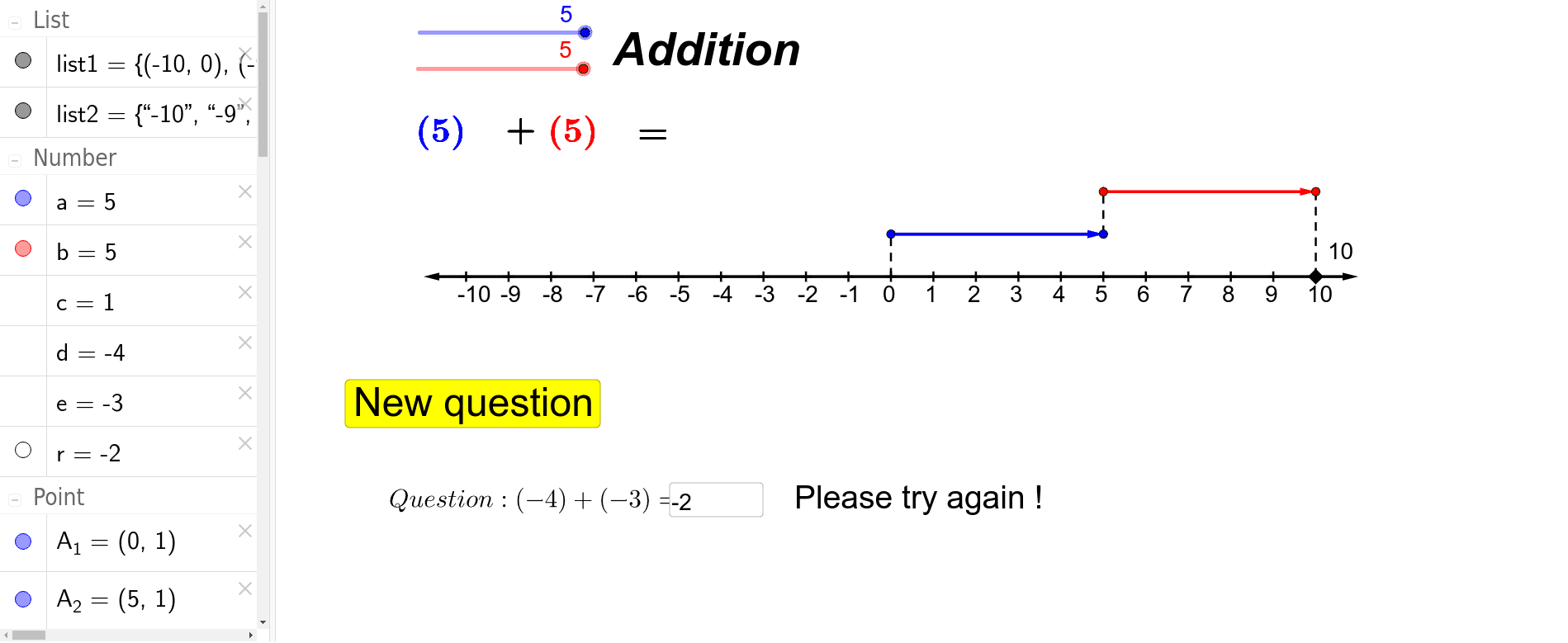
This example visually demonstrates the operations of addition and subtraction with directed numbers (positive and negative numbers). It covers core math concepts including rules for directed number operations, number line representation, and vector addition/subtraction. The construction utilizes GeoGebra commands/objects like Sequence, Point, Vector, If, Segment, Textfield, and Random. Suitable for middle school students and above for learning directed number operations and for teaching demonstrations.
GeoGebra Commands & Parameters
Sequence((i, 0), i, -10, 10) → list1Point(list1) → P_3Vector(P_3, P_1) → uVector(P_3, P_2) → vSequence(Text[k, (k - 0.2, -0.6)], k, -10, 10) → list2If(random() < 0.5, -1, 1) → cVector(A_1, A_2) → wVector(B_1, B_2) → v_bVector(A_1, A_2) → v_aSegment(O_1, A_1) → l_1Segment(O_3, B_2) → l_3Segment(A_2, B_1) → l_2Textfield(r) → inputBox1Random(-5, 5) → dRandom(-5, 5) → e
AI Drawing Prompt Reference
Display addition and subtraction of positive and negative numbers on a coordinate plane, showing points from the origin to each integer, and use vectors to represent the addition and subtraction of two numbers, with the starting point of the vector at the point corresponding to the first number and the endpoint at the point corresponding to the second number, while connecting relevant points with line segments and labeling values and operation symbols appropriately to visually demonstrate the process and results of the operations.
The prompt above was compiled from the original drawing commands and is for reference only.