
Adding and Subtracting Integers with Vectors
Loading the math board and drawing, please wait…
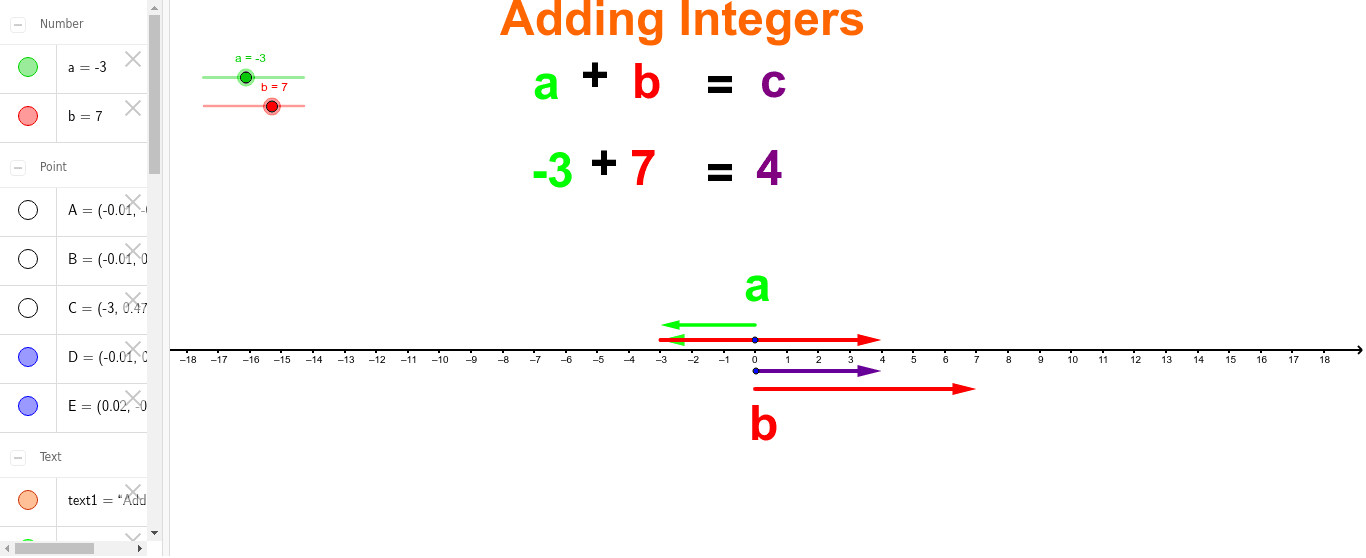
This example demonstrates integer addition and subtraction using vectors on a number line. Key mathematical concepts include integers and vectors. The Vector and If commands are used to construct and control the display of vectors. Suitable for middle school and above students to learn about integer operations and basic vector concepts.
GeoGebra Commands & Parameters
Vector(B, C) → uIf(b > 0, "Adding Integers", "Subtracting Integers") → text1If(b > 0, "+", "-") → text5If(b > 0, "+", "-") → text5_1Vector(A, (b, y(A))) → vVector(D, (a, y(D))) → wVector((a, y(D)), (a + b, y(D))) → zVector(E, (a + b, y(E))) → c
AI Drawing Prompt Reference
Draw a number line with points A and D representing integers a and b. From point A, draw a vector v with length b and direction depending on the sign of b. From point D, draw a vector w with length a and direction depending on the sign of a. If b is greater than 0, draw vector u from point B to point C, representing integer addition; otherwise, draw vector z from point D to (a+b, y(D)), representing integer subtraction. Add text to the diagram to display 'Adding Integers' or 'Subtracting Integers', depending on the sign of b.
The prompt above was compiled from the original drawing commands and is for reference only.