
Adding 2 Vectors: Geometric Vector Addition
Loading the math board and drawing, please wait…
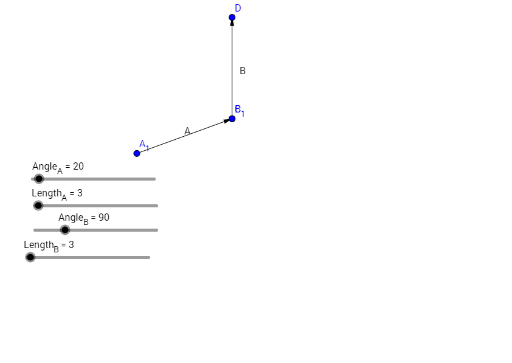
① This GeoGebra example dynamically demonstrates the geometric addition of two vectors, visually illustrating the triangle law or parallelogram law of vector addition. ② The core mathematical concept is vector addition, involving vector magnitudes, direction angles, and the resultant vector. ③ Construction highlights: The Vector command is used to create vectors, with objects Angle_A, Length_A, Angle_B, Length_B controlling the direction and magnitude of the two input vectors. Points A, B, C, D, A_1, B_1 are constructed to form the resultant vector. ④ Suitable for high school or early college students learning vector basics, and for teachers to demonstrate the geometric meaning of vector addition in class, helping students grasp the intuitive nature of vector operations.
GeoGebra Commands & Parameters
Vector(A_1, B_1) → AVector(C, D) → B
AI Drawing Prompt Reference
Draw the geometric addition of two vectors. First, create vector A starting from A_1 and ending at B_1 to represent the first vector. Then, create vector B starting from C and ending at D to represent the second vector. Ensure the direction and length of vectors A and B can be adjusted using sliders to form the triangle or parallelogram law of vector addition.
The prompt above was compiled from the original drawing commands and is for reference only.