
A Square in Parallel Lines
Loading the math board and drawing, please wait…
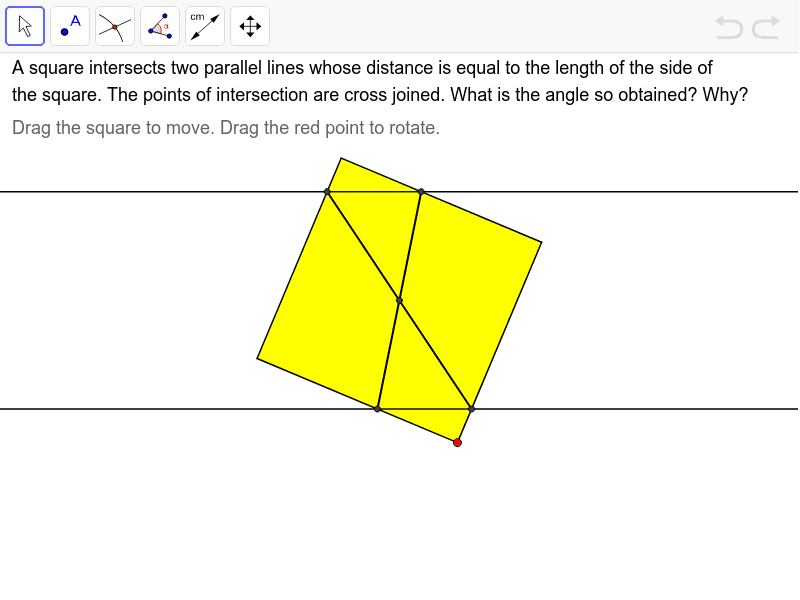
This example demonstrates constructing a square between parallel lines, involving core concepts like straight lines, squares, circumcircles, conditional probability, frequency distribution, standard deviation, and curve sketching. It uses GeoGebra commands such as Point, Polygon, Intersect, and Segment. Suitable for high school mathematics education and geometric construction learning.
GeoGebra Commands & Parameters
Point(Circle[A, 2.8284271247461903]) → BPolygon(A, B, C, D, E, F) → poly1, a_1, b_1, c_1, d_1, e_1, f_1Polygon(B, C, D, E) → poly2, a, b, c, dIntersect(e, d) → GIntersect(e, a) → HIntersect(f, b) → IIntersect(f, c) → JSegment(G, I) → gSegment(J, H) → hIntersect(e, c) → H'Intersect(f, a) → J'Segment(H', J') → iIntersect(e, b) → G'Intersect(f, d) → I'Segment(G', I') → jIntersect(g, h) → KIntersect(g, i) → LIntersect(i, j) → MIntersect(h, j) → N
AI Drawing Prompt Reference
Draw a square between two sets of parallel lines. Start by drawing two parallel lines, then select four points on each line to form a hexagon. Construct the square using these points, ensuring the square's sides are parallel to the parallel lines. Finally, draw the diagonals of the square, which will intersect at points that will help you complete the square.
The prompt above was compiled from the original drawing commands and is for reference only.