
90 Degree Rotation GeoGebra Example
Loading the math board and drawing, please wait…
In collections
Rotations
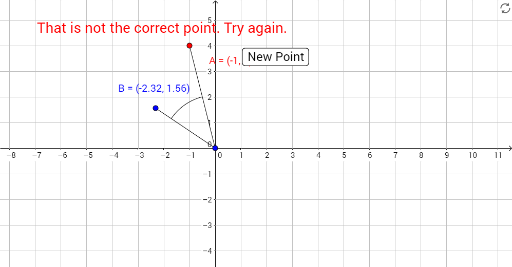
This GeoGebra example demonstrates a 90-degree rotation of point A around circle center O, producing rotated image A'. It explores core concepts such as rotational transformation, circle properties, and angle measurement. Construction uses GeoGebra commands including Rotate, Segment, Midpoint, CircleArc, and objects like points A, O, A', B, and text elements. Suitable for middle and high school geometry units on transformations, it helps students visualize how rotation affects positions relative to circles and angles.
GeoGebra Commands & Parameters
Rotate(A, 90°, O) → A'Segment(O, A) → fSegment(O, B) → gMidpoint(f) → CMidpoint(g) → DCircleArc(O, C, D) → c
AI Drawing Prompt Reference
Draw a circle with center O and place a point A on it. Rotate point A 90 degrees around O to get A'. Connect OA and OB, find the midpoints C and D of these segments, and draw an arc c with O as the center and C and D as the endpoints.
The prompt above was compiled from the original drawing commands and is for reference only.