
3D Test Example
Loading the math board and drawing, please wait…
In collections
Rotations
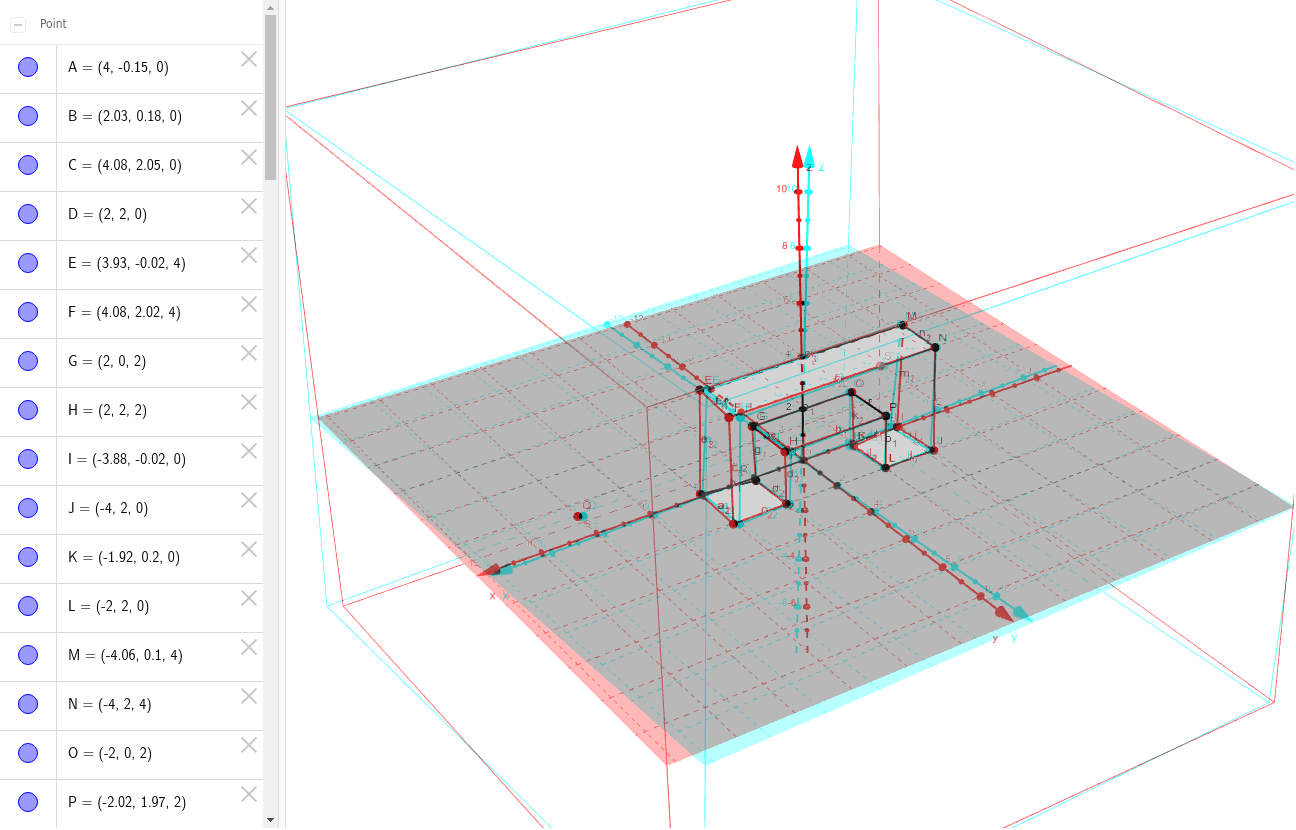
This example demonstrates the process of wearing a rotating-green glasses and admiring the first test in 3D space. It involves core mathematical concepts such as solid geometry, polygon construction, intersection calculation, and vector operations. The construction highlights the use of commands like Polygon, Intersect, Segment, and Point from GeoGebra. Suitable for high school and above students studying solid geometry, coordinate geometry, and geometric constructions.
GeoGebra Commands & Parameters
Polygon(C, D, B, A) → Vieleck1, c, d, b, aPolygon(C, F, E, A) → Vieleck2, c_1, f, e, a_1Polygon(C, D, H, P, L, J, N, F) → Vieleck3, c_2, d_1, h, p, l, j, n, f_1Polygon(F, N, M, E) → Vieleck4, f_2, n_1, m, e_1Polygon(A, C, F, E) → Vieleck5, a_2, c_3, f_3, e_2Polygon(I, J, L, K) → Vieleck6, i, j_1, l_1, kPolygon(K, O, G, B, A, E, M, I) → Vieleck7, k_1, o, g, b_1, a_3, e_3, m_1, i_1Polygon(N, M, I, J) → Vieleck8, n_2, m_2, i_2, j_2Intersect(k_1, l_1) → RPolygon(K, O, G, B, D, H, P, L) → Vieleck9, k_2, o_1, g_1, b_2, d_2, h_1, p_1, l_2Segment(H, G) → qPoint(n) → SSegment(P, O) → r
AI Drawing Prompt Reference
Create a complex geometric shape in 3D space composed of multiple polygons connected by vertices. Begin by constructing several basic polygons, then calculate their intersections to create new geometric elements. Combine these elements to form more intricate shapes, and add line segments and points to highlight geometric relationships. The final image should showcase core concepts of solid geometry, polygon construction, intersection calculation, and vector operations.
The prompt above was compiled from the original drawing commands and is for reference only.