
3D Implicit Surface Grapher: Tritrumpet
Loading the math board and drawing, please wait…
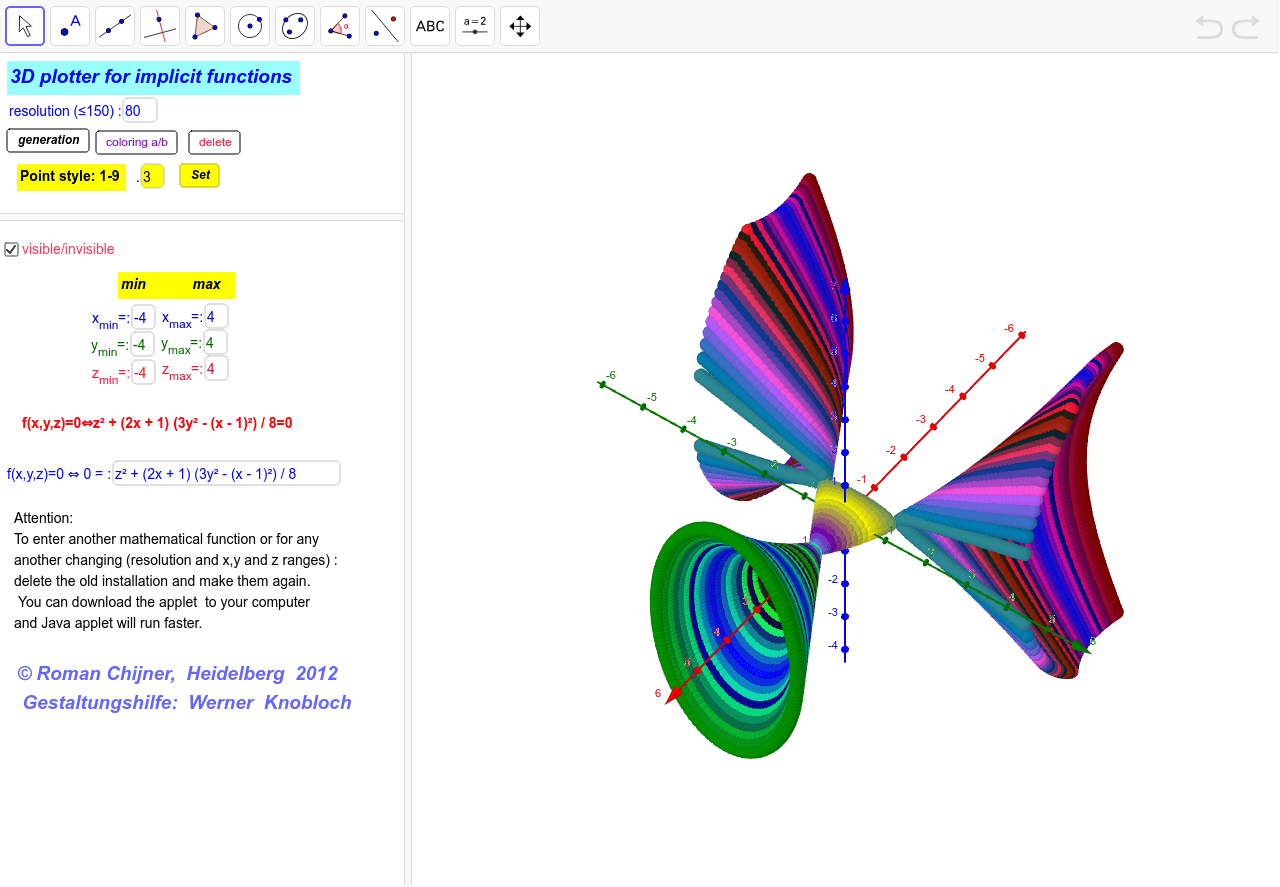
① This example demonstrates a 3D implicit surface named 'Tritrumpet', part of a collection of predefined implicit functions. Users can interactively explore the surface's shape in GeoGebra. ② The core mathematical concept is implicit surfaces defined by equations f(x,y,z)=0, involving multivariable functions, 3D coordinate geometry, and surface visualization. ③ Construction highlights: from the construction summary, it uses text fields (Textfield) for function input, buttons (button1, button2) and sliders to adjust parameters, and GeoGebra's 3D rendering to display the surface. Objects include the function g, coordinate range variables (x_min, x_max, etc.), color selection (Farbe), and multiple text labels, showcasing an interactive parametric design. ④ Suitable for high school to university-level mathematics, useful for understanding the relationship between implicit equations and 3D shapes, and as a teaching demonstration tool or for student self-exploration of implicit surfaces.
GeoGebra Commands & Parameters
Textfield(x_{min}) → Textfeld1Textfield(y_{min}) → Textfeld2Textfield(z_{min}) → Textfeld3Textfield(x_{max}) → Textfeld4Textfield(y_{max}) → Textfeld5Textfield(z_{max}) → Textfeld6Textfield(Nn) → Textfeld10Textfield(g) → Textfeld13Textfield(b) → inputBox1
AI Drawing Prompt Reference
Draw a 3D implicit surface named Tritrumpet by inputting x_min, y_min, z_min, x_max, y_max, z_max, Nn, g, and b to adjust the coordinate range and surface parameters. Use sliders and buttons to change parameters and observe changes in the surface shape. Ensure x_min < x_max, y_min < y_max, z_min < z_max, Nn > 0, and g and b are valid function expressions.
The prompt above was compiled from the original drawing commands and is for reference only.