
3D Implicit Surface Grapher: "Bone"
Loading the math board and drawing, please wait…
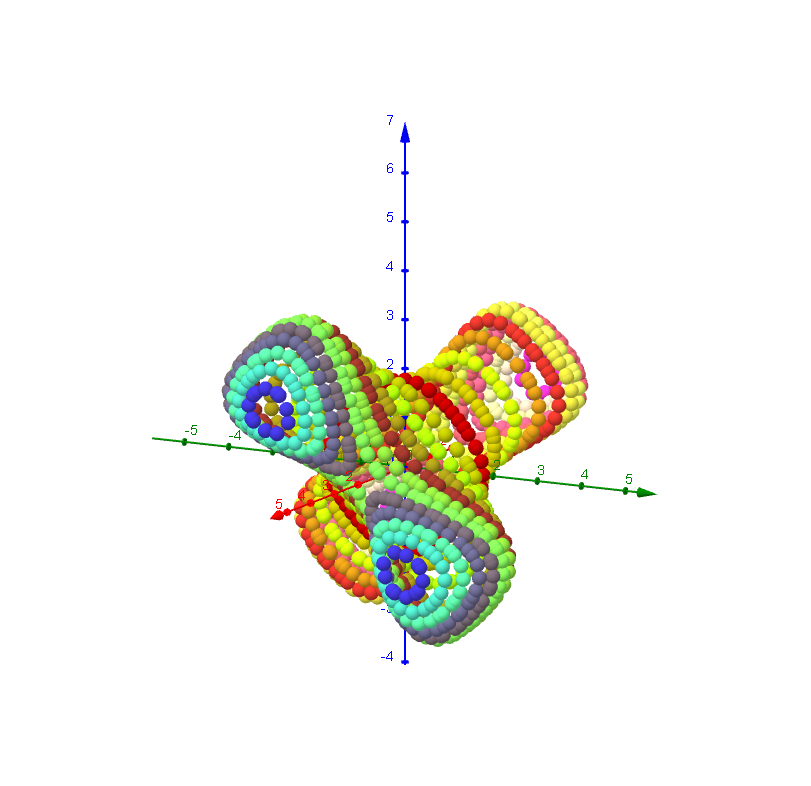
① This example demonstrates a 3D implicit surface grapher that renders a bone-like shape from a predefined implicit function, showing how equations of the form f(x,y,z)=0 define surfaces in space. ② Core mathematical concepts include implicit functions, polynomial and algebraic equations, 3D surface visualization, and the relationship between equations and geometric shapes. ③ Construction highlights: The applet uses GeoGebra commands such as Textfield for input, sliders (dx2, dy2, dz2) to adjust the plotting domain, buttons (button1, button2, etc.) to switch between predefined functions or change colors (Farbe), and FormelText to dynamically display the current function expression. Objects include g, Nn, Funktion, and others, allowing users to enter custom implicit equations. ④ Suitable for high school to university-level mathematics education, this tool helps students understand implicit surfaces, spatial analytic geometry, and computer-assisted graphing, and serves as an exploratory environment for investigating how different algebraic equations produce various 3D shapes.
GeoGebra Commands & Parameters
Textfield(x_{min}) → Textfeld1Textfield(y_{min}) → Textfeld2Textfield(z_{min}) → Textfeld3Textfield(x_{max}) → Textfeld4Textfield(y_{max}) → Textfeld5Textfield(z_{max}) → Textfeld6Textfield(Nn) → Textfeld10Textfield(g) → Textfeld13Textfield(b) → inputBox1
AI Drawing Prompt Reference
Draw a bone-like 3D implicit surface. First, input the minimum and maximum values for x, y, and z to define the plotting domain. Then, enter Nn and g to adjust the appearance and color of the surface. Change dx2, dy2, and dz2 to adjust the displayed area of the surface.
The prompt above was compiled from the original drawing commands and is for reference only.