
3D Implicit Surface Example
Loading the math board and drawing, please wait…
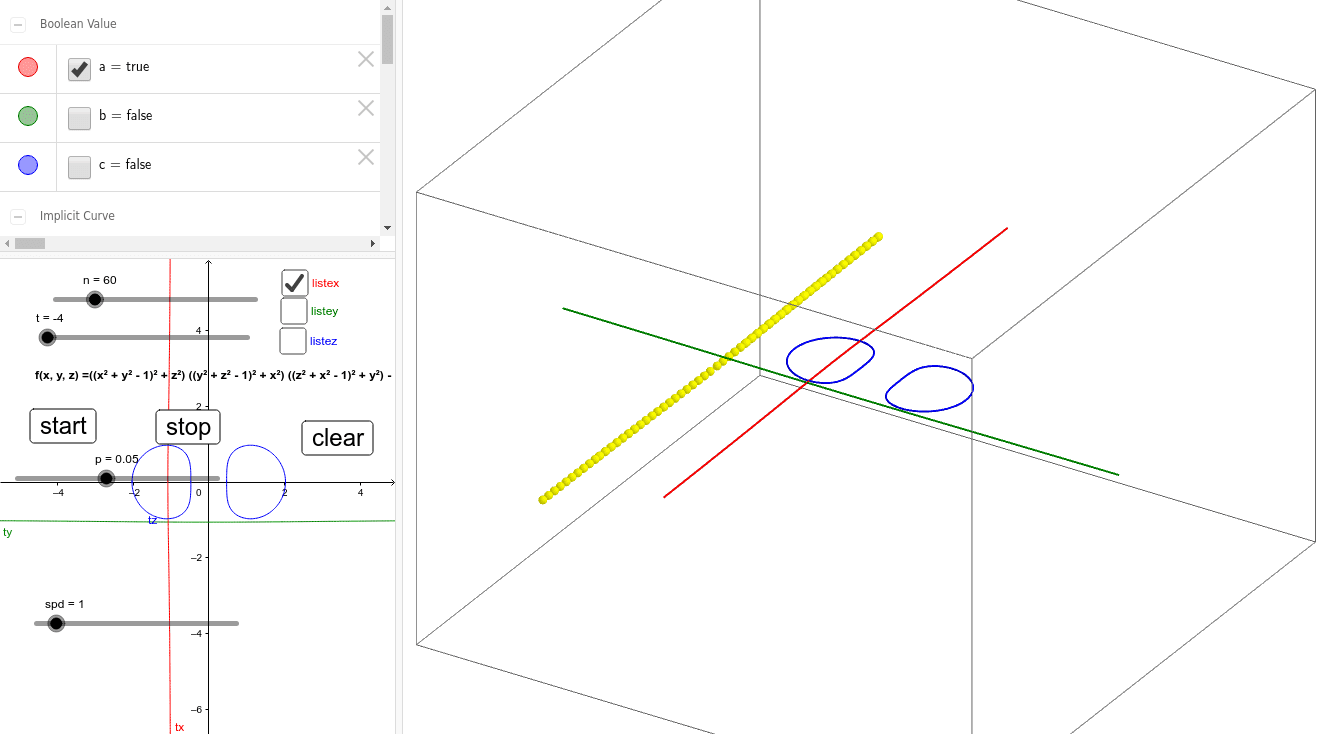
This example demonstrates a 3D implicit surface. It involves the equation of a surface in three-dimensional space. Using GeoGebra commands such as Sequence and Bouton, the surface can be dynamically displayed. Suitable for high school and above students to learn about solid geometry and function graphs.
GeoGebra Commands & Parameters
Sequence((x(Point[ty, i]), t, y(Point[ty, i])), i, 0, 1, 1 / n) → listeySequence((t, y(Point[tx, i]), x(Point[tx, i])), i, 1 / n, 1 - 1 / n, 1 / n) → listexSequence((x(Point[tz, i]), y(Point[tz, i]), t), i, 0, 1, 1 / n) → listez
AI Drawing Prompt Reference
Draw a 3D implicit surface by dynamically displaying its equation, using sequence commands to generate a series of points arranged along the x, y, and z axes to form a mesh structure of the surface, suitable for high school and above students to learn solid geometry and function graphs.
The prompt above was compiled from the original drawing commands and is for reference only.