
3D Geometric Shapes
Loading the math board and drawing, please wait…
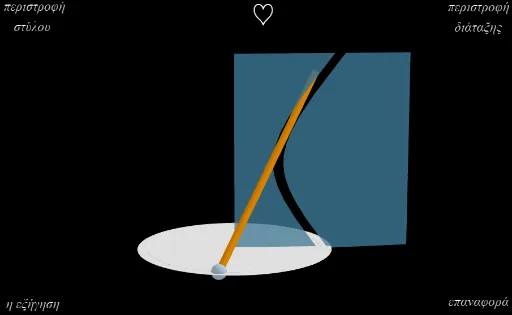
This example demonstrates the construction process of 3D geometric shapes. It involves basic concepts of solid geometry such as rotation, sequence, and polygon. Using GeoGebra commands like CurveCartesian, Rotate, and Sequence, dynamic 3D shapes can be built. Suitable for high school or university solid geometry courses.
GeoGebra Commands & Parameters
CurveCartesian(sec(t) - 0.12, 0, (1.15 * tan(t)), t, ((-π)) / 2, π / 2) → aCurveCartesian(sec(t) + 0.12, 0, (1.15 * tan(t)), t, ((-π)) / 2, π / 2) → bCircle(zAxis, (2, 0, -2)) → cPoint(c) → ARotate(A, 120°, zAxis) → A'Sequence((x(a(t)), 0, z(a(t))), t, ((-π)) / 2.97, (2 * π / 5), 0.2) → list1Sequence((x(b(t)), 0, z(b(t))), t, ((-π)) / 2.97, (2 * π / 5), 0.2) → list2Append(list1, (0, 0, 2.52)) → list3Append(list3, (0, 0, -1.99)) → list4Polygon(list4) → poly1Append(list2, (4, 0, 2.52)) → list5Append(list5, (4, 0, -1.99)) → list6Polygon(list6) → poly2Segment(A, A' + (0, 0, 4)) → fCircle(zAxis, (2, 1, -2)) → eCenter(e) → BPointIn(e) → CAngle(A, B, C) → αSegment(A, A' + (0, 0, 4)) → ff
AI Drawing Prompt Reference
Draw a 3D geometric shape consisting of two rotated curves. The first curve is sec(t) minus 0.12, and the second is sec(t) plus 0.12. These curves extend along the z-axis from -2 to 2. Then, rotate a point by 120 degrees around the z-axis. Create sequences of points with their z-coordinates to form two lists. Finally, connect these lists with fixed points to create two polygons. Ensure the shape is displayed in 3D space to illustrate rotation and sequence concepts.
The prompt above was compiled from the original drawing commands and is for reference only.