
3D Block Minecraft Demo
Loading the math board and drawing, please wait…
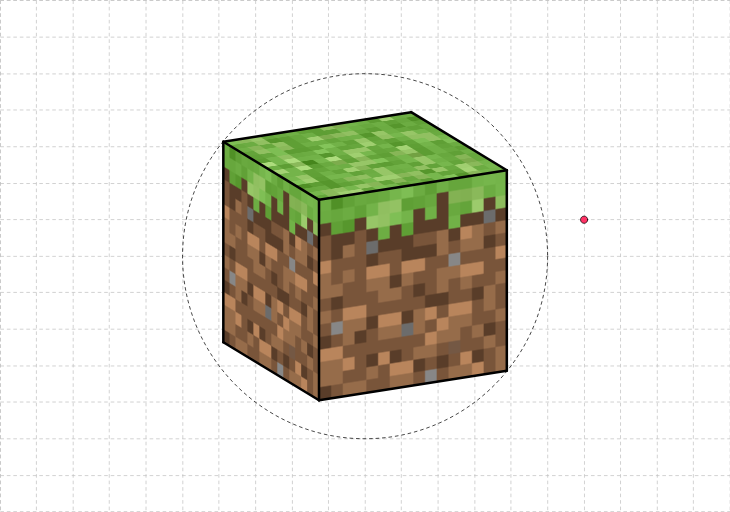
This example demonstrates geometric shapes and spatial relationships in the Minecraft game through a 3D block model. It involves core mathematical concepts such as cubes, standard deviation, general quadrilaterals, parallelograms, planes, and arithmetic operations. The construction uses GeoGebra commands/objects like Intersect, Circle, Rotate, and Segment. Suitable for high school students and math enthusiasts for learning solid geometry and spatial visualization.
GeoGebra Commands & Parameters
Intersect(xAxis, yAxis) → OCircle(O, 1) → cRotate((0, 1), (-(((y(C) * 2) * π))), O) → BRotate((0, 1), ((x(C) * 2) * π), O) → ASegment(D, E) → fSegment(E, F) → gSegment(F, G) → iSegment(G, D) → jSegment(G, I) → kSegment(I, H) → lSegment(H, K) → mSegment(K, J) → nSegment(J, I) → pSegment(J, D) → qSegment(E, K) → rSegment(F, H) → s
AI Drawing Prompt Reference
Create a 3D block model inspired by Minecraft, showing a cubic framework in space. Start with a unit circle centered at the origin, then place two points on the circle by rotating from the vertical axis. Connect these points and others to form a polyhedron with two quadrilateral faces and connecting edges, resembling a parallelepiped. Emphasize the spatial relationships between vertices and edges, making the structure clear for studying solid geometry.
The prompt above was compiled from the original drawing commands and is for reference only.