
2D Rotation Transformation
Loading the math board and drawing, please wait…
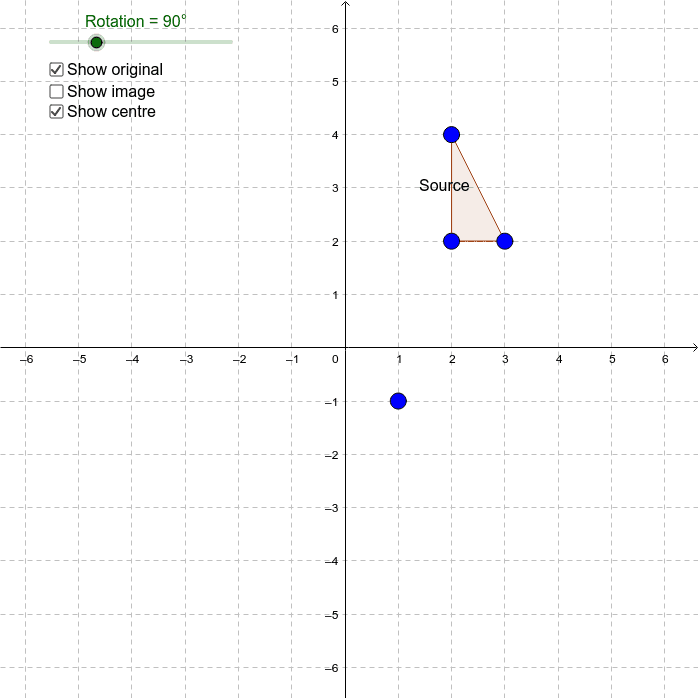
This example allows students to explore 2D rotation through simple geometric transformations. Key mathematical concepts include rotation, vectors, and polygons. Using GeoGebra commands such as Polygon and Rotate, students can visually understand the principles of rotation transformation. Suitable for middle school and above students learning geometric transformations.
GeoGebra Commands & Parameters
Polygon(A, B, C) → poly1, c, a, bRotate(A, Rotation, Centre) → A'Rotate(B, Rotation, Centre) → B'Rotate(C, Rotation, Centre) → C'Polygon(A', B', C') → poly1', c', a', b'
AI Drawing Prompt Reference
Draw an original polygon formed by three points, then rotate it around a central point to get three new points after rotation, and connect these rotated points to form a new polygon, showing the comparison between the original and the rotated shapes.
The prompt above was compiled from the original drawing commands and is for reference only.