
19. Seurat's Circus
Loading the math board and drawing, please wait…
In collections
geometriadinamica.es
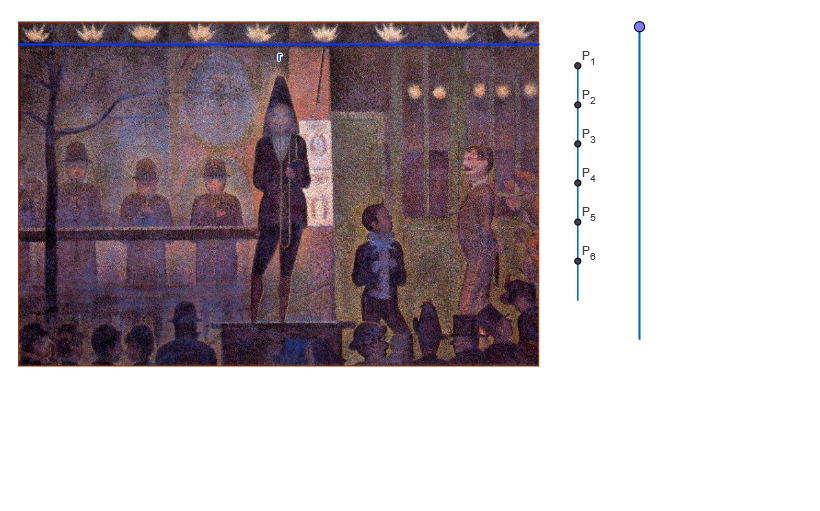
This example demonstrates the magic of a circle, showcasing the area and circumference of a circle. Key mathematical concepts include the area and circumference of a circle, as well as geometric transformations. The construction involves using GeoGebra commands such as OrthogonalLine, Point, Segment, If, Dilate, Circle, Intersect, Polygon, Line, CircleArc, Midpoint, and objects A_1, B, a, C, b, M_1, pas, t_1, B_1, A, d, A_3, P_0, P_8, esc, P_1, P_2, P_3, P_4, P_5, P_6, P_7, t_2, t_3, t_4, t_5, t_6, A_2, A_4, A_5, A_6, B_2, B_3, B_4, B_5, B_6, D, pr, e, E. Suitable for middle school math, calculating the area and circumference of a circle, and applying geometric transformations.
GeoGebra Commands & Parameters
OrthogonalLine(B, xAxis) → aPoint(a) → CSegment(B, C) → bPoint(b) → M_1If(pas > 0 ∧ pas < 7, 0, -1) → t_1OrthogonalLine(A, b) → dIf(pas > 1 ∧ pas < 7, 0, -1) → t_2If(pas > 2 ∧ pas < 7, 0, -1) → t_3If(pas > 3 ∧ pas < 7, 0, -1) → t_4If(pas > 4 ∧ pas < 7, 0, -1) → t_5If(pas > 5 ∧ pas < 7, 0, -1) → t_6Point(d) → DOrthogonalLine(A, b) → eDilate(D, pr, A) → ECircle(A, E) → fOrthogonalLine(A, e) → gIntersect(f, g, 2) → FOrthogonalLine(F, g) → hOrthogonalLine(D, e) → iIntersect(h, i) → GSegment(P_1, P_7) → cPolygon(A, F, G, D) → P, a_1, f_1, g_1, d_1Circle(A, F) → kCircle(D, G) → pDilate(D, fi, A) → LCircle(A, L) → tIntersect(t, a_1) → H,OrthogonalLine(H, a_1) → jIntersect(j, g_1) → ICircle(D, I) → qSegment(A, B_1) → lIntersect(q, l) → J,Intersect(t, l) → K,Line(K, b) → mLine(J, b) → nIntersect(n, j) → MIntersect(m, j) → NSegment(H, I) → rCircleArc(A, K, H) → sCircleArc(D, I, J) → c_1Segment(M, J) → b_1Segment(N, K) → e_1Circle(H, M) → p_1Circle(A, J) → q_1Segment(F, B_2) → i_1Intersect(q_1, i_1) → O,Intersect(p_1, i_1) → Q,OrthogonalLine(Q, b) → j_1OrthogonalLine(O, b) → l_1Intersect(l_1, b_1) → RIntersect(e_1, l_1) → SSegment(O, R) → m_1Intersect(l_1, g_1) → TIntersect(j_1, g_1) → UIntersect(j_1, e_1) → VSegment(O, R) → h_1Intersect(j_1, b_1) → WSegment(Q, W) → k_1Segment(S, T) → n_1OrthogonalLine(B_3, b) → r_1Intersect(r_1, i_1) → YIntersect(r_1, g_1) → ZIntersect(g_1, r_1) → C_1Segment(C_1, A) → s_1Point(c_1) → D_1Segment(C_1, J) → a_2Segment(C_1, K) → b_2Segment(Y, J) → c_2Segment(Y, K) → d_2Segment(Y, D) → e_2Segment(D, B_4) → f_2Intersect(g_1, f_2) → E_1Intersect(f_2, i_1) → F_1Segment(F_1, M) → g_2Segment(F_1, N) → h_2Segment(E_1, N) → i_2Segment(E_1, M) → j_2OrthogonalLine(B_5, b) → k_2Intersect(b_1, k_2) → G_1Intersect(e_1, k_2) → I_1Segment(V, O_1) → c_3CircleArc(A, J, O) → d_3CircleArc(D, T, L) → e_3Point(k_2) → J_1Point(k_2) → Q_1Point(k_2) → R_1Midpoint(H, I) → U_1OrthogonalLine(U_1, r) → l_2Segment(R_1, U_1) → m_2Segment(U_1, J_1) → n_2Segment(Q_1, M) → p_2Segment(Q_1, N) → q_2OrthogonalLine(B_6, b) → r_2Point(r_2) → H_1Point(r_2) → K_1Point(r_2) → L_1Segment(L_1, R_1) → s_2Segment(K_1, Q_1) → a_3Segment(J_1, H_1) → b_3
AI Drawing Prompt Reference
Draw a geometric composition based on a horizontal baseline. Start with a vertical auxiliary line, pick a point on it, and connect it to a fixed point on the baseline to form a segment, marking its midpoint. From another fixed point, draw a perpendicular to this segment, choose a point on it, and use a dilation to get a point on a circle, then draw that circle centered at the first fixed point. Find intersections with another perpendicular, construct a rectangle, and inside it, draw multiple circles and arcs with different centers and radii, connecting relevant intersection points to create a symmetric decorative pattern. The final figure includes circles, arcs, segments, and a rectangle, evoking a circus-like geometric aesthetic.
The prompt above was compiled from the original drawing commands and is for reference only.