
10A-1B: Geometric Transformations and Circle
Loading the math board and drawing, please wait…
In collections
Geometry of Angles (Student Created)
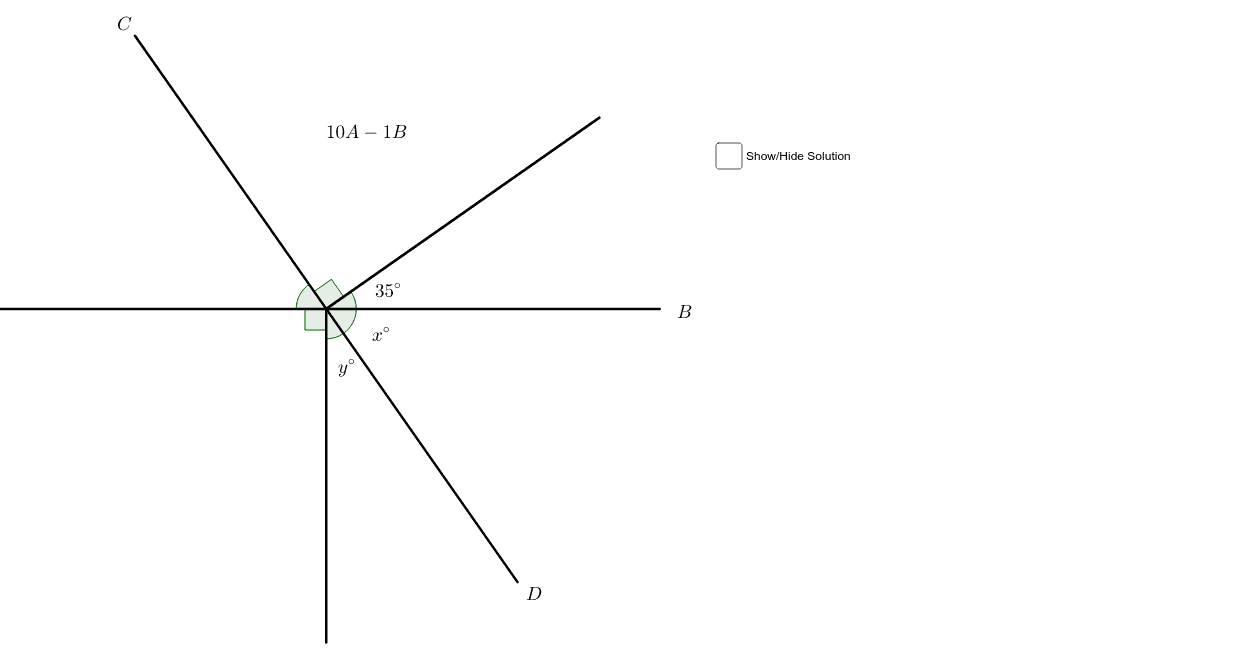
This example demonstrates the construction of geometric figures and their relationship with a circle through transformations like rotation. Core concepts include curve sketching, general quadrilateral, arithmetic mean, incircle, and geometric transformations. It uses commands like Segment, Point, Rotate, and Angle to create points, segments, and perform rotations. Suitable for high school mathematics education to understand properties of geometric transformations and incircles.
GeoGebra Commands & Parameters
Segment(A, B) → aPoint(a) → CRotate(B, 35*°, C) → B'Angle(B, C, B') → αSegment(B', C) → bRotate(B', 90*°, C) → B''Angle(B', C, B'') → βSegment(B'', C) → cRotate(A, 90*°, C) → A'Angle(A, C, A') → γSegment(C, A') → dRotate(B, -55*°, C) → B'_1Angle(B'_1, C, B) → δSegment(C, B'_1) → eAngle(A', C, B'_1) → εPoint(c) → DPoint(a) → EPoint(a) → FAngle(D, E, F) → ζ
AI Drawing Prompt Reference
Draw a circle and select a point on it as a starting point. From this point, draw a line segment. Rotate this segment by 35 degrees around the starting point to get a second point, then rotate the new segment by 90 degrees around the second point to get a third point, and continue this process to create multiple segments. Finally, label the key angles and segments to illustrate the relationship between geometric transformations and the circle.
The prompt above was compiled from the original drawing commands and is for reference only.