
Wiley 模块二:几何图形与定理演示
几何画板及绘图内容加载中,请稍等……
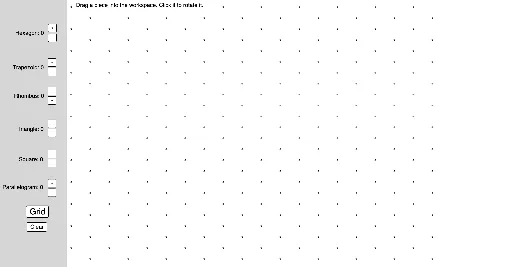
①本范例通过交互式工具演示了六边形、三角形、正方形等几何图形的构造与变换;②涉及勾股定理、等腰三角形、实数、重心、箱线图等核心概念;③构造过程中运用了 GeoGebra 命令如 Hexagon(六边形)、Tool2(工具2)、Rotate(旋转)、Midpoint(中点)、Polygon(多边形)等;④适合高中数学教学,用于几何作图与定理验证。
GeoGebra 命令及参数
Hexagon(A) → f, g, h, i, j, k, poly1, BHexagon(C) → l, m, n, p, q, r, poly2, DHexagon(E) → s, t, a, b, c, d, poly3, FHexagon(G) → e, f_1, g_1, h_1, i_1, j_1, poly4, HTool2(I) → poly5, k_1, l_1, m_1, n_1, JTool2(K) → poly6, p_1, q_1, r_1, s_1, LTool2(M) → poly7, t_1, a_1, b_1, c_1, NTool2(O) → poly8, d_1, e_1, f_2, g_2, PTool4(Q) → h_2, i_2, j_2, k_2, R, poly9Tool4(S) → l_2, m_2, n_2, p_2, T, poly10Tool4(U) → q_2, r_2, s_2, t_2, V, poly11Tool4(W) → a_2, b_2, c_2, d_2, Z, poly12Tool4(A_1) → e_2, f_3, g_3, h_3, B_1, poly13Tool4(C_1) → i_3, j_3, k_3, l_3, D_1, poly14Tool3(E_1) → m_3, n_3, p_3, F_1, poly15Tool3(G_1) → q_3, r_3, s_3, H_1, poly16Tool3(I_1) → t_3, a_3, b_3, J_1, poly17Tool3(K_1) → c_3, d_3, e_3, L_1, poly18Tool3(M_1) → f_4, g_4, h_4, N_1, poly19Tool3(O_1) → i_4, j_4, k_4, P_1, poly20Tool3(Q_1) → l_4, m_4, n_4, R_1, poly21Tool3(S_1) → p_4, q_4, r_4, T_1, poly22Tool3(U_1) → s_4, t_4, a_4, V_1, poly23Tool3(W_1) → b_4, c_4, d_4, Z_1, poly24Tool3(A_2) → e_4, f_5, g_5, B_2, poly25Tool3(C_2) → h_5, i_5, j_5, D_2, poly26Hexagon(A_3) → f_6, g_6, h_6, i_6, j_6, k_5, poly1_1, B_3Hexagon(C_3) → l_5, m_5, n_5, p_5, q_5, r_5, poly2_1, D_3Hexagon(E_2) → s_5, t_5, a_5, b_5, c_5, d_5, poly3_1, F_2Hexagon(G_2) → e_5, f_7, g_7, h_7, i_7, j_7, poly4_1, H_2Tool2(I_2) → poly5_1, k_6, l_6, m_6, n_6, J_2Tool2(K_2) → poly6_1, p_6, q_6, r_6, s_6, L_2Tool2(M_2) → poly7_1, t_6, a_6, b_6, c_6, N_2Tool2(O_2) → poly8_1, d_6, e_6, f_8, g_8, P_2Tool4(Q_2) → h_8, i_8, j_8, k_7, R_2, poly9_1Tool4(S_2) → l_7, m_7, n_7, p_7, T_2, poly10_1Tool4(U_2) → q_7, r_7, s_7, t_7, V_2, poly11_1Tool4(W_2) → a_7, b_7, c_7, d_7, Z_2, poly12_1Tool4(A_4) → e_7, f_9, g_9, h_9, B_4, poly13_1Tool4(C_4) → i_9, j_9, k_8, l_8, D_4, poly14_1Tool3(E_3) → m_8, n_8, p_8, F_3, poly15_1Tool3(G_3) → q_8, r_8, s_8, H_3, poly16_1Tool3(I_3) → t_8, a_8, b_8, J_3, poly17_1Tool3(K_3) → c_8, d_8, e_8, L_3, poly18_1Tool3(M_3) → f_{10}, g_{10}, h_{10}, N_3, poly19_1Tool3(O_3) → i_{10}, j_{10}, k_9, P_3, poly20_1Tool3(Q_3) → l_9, m_9, n_9, R_3, poly21_1Tool3(S_3) → p_9, q_9, r_9, T_3, poly22_1Tool3(U_3) → s_9, t_9, a_9, V_3, poly23_1Tool3(W_3) → b_9, c_9, d_9, Z_3, poly24_1Tool3(A_5) → e_9, f_{11}, g_{11}, B_5, poly25_1Tool3(C_5) → h_{11}, i_{11}, j_{11}, D_5, poly26_1Circle(A_6, 1) → c_{10}Point(c_{10}) → B_6Rotate(B_6, 90°, A_6) → B'_1Rotate(A_6, (-(90°)), B_6) → A'_1Square(C_6) → D_6, poly2_2, f_{12}, g_{12}, h_{12}, i_{12}Square(E_4) → F_4, poly3_2, j_{12}, k_{10}, l_{10}, m_{10}Square(G_4) → H_4, poly4_2, n_{10}, p_{10}, q_{10}, r_{10}Square(I_4) → J_4, poly5_2, s_{10}, t_{10}, d_{10}, e_{10}Square(K_4) → L_4, poly6_2, f_{13}, g_{13}, h_{13}, i_{13}Square(M_4) → N_4, poly7_2, j_{13}, k_{11}, l_{11}, m_{11}Square(O_4) → P_4, poly8_2, n_{11}, p_{11}, q_{11}, r_{11}Circle(A_7, 1) → c_{11}Point(c_{11}) → B_7Rotate(B_7, 150°, A_7) → B'_2Midpoint(B'_2, B_7) → C_7Mirror(A_7, C_7) → A'_2Polygon(A_7, B_7, A'_2, B'_2) → poly1_2, a_{10}, b_{10}, a'_1, b'_1TanRhombus(D_7) → E_5, poly2_3, f_{14}, g_{14}, h_{14}, i_{14}TanRhombus(F_5) → G_5, poly3_3, j_{14}, k_{12}, l_{12}, m_{12}TanRhombus(H_5) → I_5, poly4_3, n_{12}, p_{12}, q_{12}, r_{12}TanRhombus(J_5) → K_5, poly5_3, s_{11}, t_{11}, d_{11}, e_{11}TanRhombus(L_5) → M_5, poly6_3, f_{15}, g_{15}, h_{15}, i_{15}TanRhombus(N_5) → O_5, poly7_3, j_{15}, k_{13}, l_{13}, m_{13}TanRhombus(P_5) → Q_4, poly8_3, n_{13}, p_{13}, q_{13}, r_{13}Hexagon(A_8) → f_{16}, g_{16}, h_{16}, i_{16}, j_{16}, k_{14}, poly1_3, B_8Hexagon(C_8) → l_{14}, m_{14}, n_{14}, p_{14}, q_{14}, r_{14}, poly2_4, D_8Hexagon(E_6) → s_{12}, t_{12}, a_{11}, b_{11}, c_{12}, d_{12}, poly3_4, F_6Hexagon(G_6) → e_{12}, f_{17}, g_{17}, h_{17}, i_{17}, j_{17}, poly4_4, H_6Hexagon(A_{11}) → f_{18}, g_{18}, h_{18}, i_{18}, j_{18}, k_{15}, poly1_4, B_9Hexagon(C_{11}) → l_{15}, m_{15}, n_{15}, p_{15}, q_{15}, r_{15}, poly2_5, D_9Hexagon(E_8) → s_{13}, t_{13}, a_{12}, b_{12}, c_{13}, d_{13}, poly3_5, F_7Hexagon(G_8) → e_{13}, f_{19}, g_{19}, h_{19}, i_{19}, j_{19}, poly4_5, H_7Tool2(I_{10}) → poly5_4, k_{16}, l_{16}, m_{16}, n_{16}, J_6Tool2(K_{10}) → poly6_4, p_{16}, q_{16}, r_{16}, s_{14}, L_6Tool2(M_{10}) → poly7_4, t_{14}, a_{13}, b_{13}, c_{14}, N_6Tool2(O_{10}) → poly8_4, d_{14}, e_{14}, f_{20}, g_{20}, P_6Tool2(I_{12}) → poly5_5, k_{17}, l_{17}, m_{17}, n_{17}, J_7Tool2(K_{12}) → poly6_5, p_{17}, q_{17}, r_{17}, s_{15}, L_7Tool2(M_{12}) → poly7_5, t_{15}, a_{14}, b_{14}, c_{15}, N_7Tool2(O_{12}) → poly8_5, d_{15}, e_{15}, f_{21}, g_{21}, P_7Tool4(S_{12}) → l_{18}, m_{18}, n_{18}, p_{18}, T_4, poly10_2Tool4(U_{12}) → q_{18}, r_{18}, s_{16}, t_{16}, V_4, poly11_2Tool4(W_{12}) → a_{15}, b_{15}, c_{16}, d_{16}, Z_4, poly12_2Tool4(A_{21}) → e_{16}, f_{22}, g_{22}, h_{20}, B_{10}, poly13_2Circle(A_{26}, 1) → c_{17}Point(c_{17}) → B_{11}Rotate(B_{11}, 150°, A_{26}) → B'_3Midpoint(B'_3, B_{11}) → C_{26}Mirror(A_{26}, C_{26}) → A'_3Polygon(A_{26}, B_{11}, A'_3, B'_3) → poly1_5, a_{16}, b_{16}, a'_2, b'_2TanRhombus(D_{10}) → E_{18}, poly2_6, f_{23}, g_{23}, h_{21}, i_{20}TanRhombus(F_8) → G_{18}, poly3_6, j_{20}, k_{18}, l_{19}, m_{19}TanRhombus(H_8) → I_{18}, poly4_6, n_{19}, p_{19}, q_{19}, r_{19}TanRhombus(J_8) → K_{18}, poly5_6, s_{17}, t_{17}, d_{17}, e_{17}TanRhombus(L_8) → M_{18}, poly6_6, f_{24}, g_{24}, h_{22}, i_{21}TanRhombus(N_8) → O_{18}, poly7_6, j_{21}, k_{19}, l_{20}, m_{20}TanRhombus(P_8) → Q_{17}, poly8_6, n_{20}, p_{20}, q_{20}, r_{20}Sequence(Sequence[(3^(0.5) / 2, 0.5) + ((3^(0.5) * (i - 1)), k - 1), i, 1, 10], k, -10, 10) → IsoDots2Sequence(Sequence[(0, 0) + ((3^(0.5) * (i - 1)), k - 1), i, 1, 10], k, -10, 10) → IsoDots1
AI 绘图提示语参考
绘制一个由多个正六边形和三角形、正方形组成的对称几何图案。首先在画布上放置四个正六边形,分别位于四个角附近,每个六边形内部再生成一个较小的六边形。接着,在六边形之间的空隙处,用三角形和正方形填充,形成环状排列。整体图案围绕中心对称,包含多组旋转后的多边形,呈现出重复的几何镶嵌效果。所有多边形均以顶点连接,保持边与边对齐,构成一个紧密的平面镶嵌结构。
以上提示语为根据原始绘图命令整理而来,仅供参考。