
抛物线的顶点形式
几何画板及绘图内容加载中,请稍等……
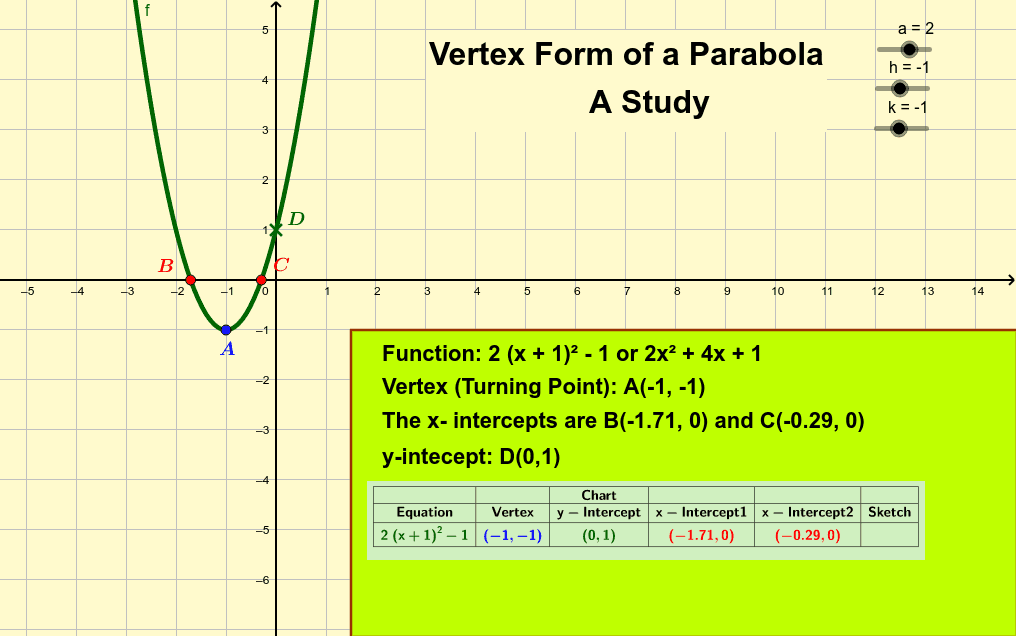
本范例演示抛物线的顶点形式a(x-h)²+k。核心数学概念包括抛物线的性质和变换。通过调整a、h、k的值,可以观察到抛物线顶点、开口方向和对称轴的变化。使用了Extremum、Intersect、Polygon等GeoGebra命令。适合高中数学教学和学习。
GeoGebra 命令及参数
Extremum(f) → AIntersect(f, xAxis) → B, CPolygon((1.5, -1), (1.5, y(Corner[2])), Corner[2], (x(Corner[2]), -1)) → poly1, d, e, h_1, iSimplify(f) → gText("y-intecept: D(0," + (f(0)) + ")") → yInterceptIf((y(A) ≠ 0) ∧ (¬Defined[B]), "There are NO x-Intercepts", If[(x(B) ≠ 0) ∨ (x(C) ≠ 0) ∧ Defined[C], "The x- intercepts are B" + B + " and C" + C, "The x-intercept is B" + B]) → xInterceptsTableText({{"", "", "Chart"}, line1, line2}, "|_c") → chart