
速度合成演示
几何画板及绘图内容加载中,请稍等……
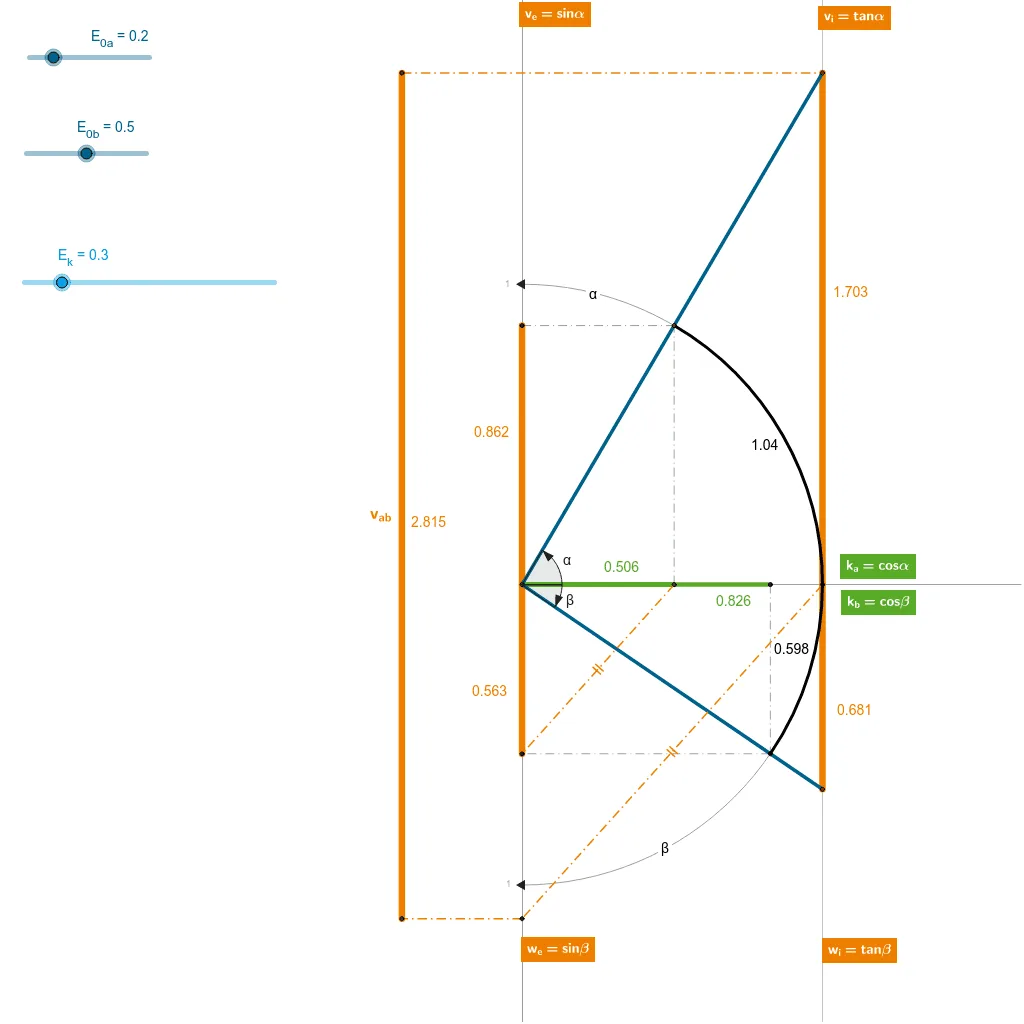
①本范例演示了速度合成原理,通过向量加法展示两个速度的合成效果;②涉及的核心数学概念包括向量、三角函数和几何作图;③作图要点——从下方『构造摘要』提炼用到了Point, Segment, CircleArc, Intersect, Ray, OrthogonalLine, Angle, Line, Circle等GeoGebra命令/对象;④适合高中物理和数学教学,用于理解向量合成与几何关系。
GeoGebra 命令及参数
Point(yAxis) → RPoint(yAxis) → ASegment(A, S) → iPoint(xAxis) → CPoint(yAxis) → BCircleArc(A, R, B) → cIntersect(c, i) → T,Ray(A, C) → bOrthogonalLine(C, b) → dCircleArc(A, C, T) → ArcAngle(C, A, Rotate[C, alfa, A]) → αOrthogonalLine(T, yAxis) → jOrthogonalLine(T, xAxis) → lIntersect(j, yAxis) → UIntersect(l, xAxis) → VSegment(A, V) → cosinusSegment(A, U) → sinusSegment(U, T) → sSegment(V, T) → tSegment(C, S) → tangensPoint(yAxis) → LPoint(d) → MSegment(A, J) → mIntersect(c, m) → O,OrthogonalLine(O, yAxis) → nOrthogonalLine(O, xAxis) → pIntersect(p, xAxis) → PIntersect(n, yAxis) → QSegment(C, J) → qSegment(A, Q) → rSegment(A, P) → b_1Angle(J, A, V) → βSegment(P, O) → eSegment(O, Q) → fCircleArc(A, O, C) → gSegment(T, S) → aSegment(J, O) → hSegment(V, Q) → kLine(C, k) → a_1Intersect(a_1, yAxis) → FLine(F, xAxis) → c_1Line(S, xAxis) → d_1Point(d_1) → GLine(G, yAxis) → e_1Intersect(e_1, c_1) → HSegment(G, H) → v_1Segment(G, S) → g_1Segment(H, F) → h_1Segment(F, C) → i_1Segment(I, A) → f_1Line(N, yAxis) → j_1Circle(N, Ea / 5) → k_1Circle(Z, Eb / 5) → p_1OrthogonalLine(S, j_1) → l_1Segment(V, Q) → m_1Line(C, m_1) → n_1Intersect(yAxis, n_1) → B_1Intersect(l_1, j_1) → C_1OrthogonalLine(B_1, j_1) → q_1Intersect(j_1, q_1) → D_1Segment(C, B_1) → r_1Segment(B_1, D_1) → s_1Segment(C_1, S) → t_1Segment(C_1, D_1) → v_{ab}