
向量加法训练:通过几何图形理解向量运算
几何画板及绘图内容加载中,请稍等……
所属专题
Slippery surface
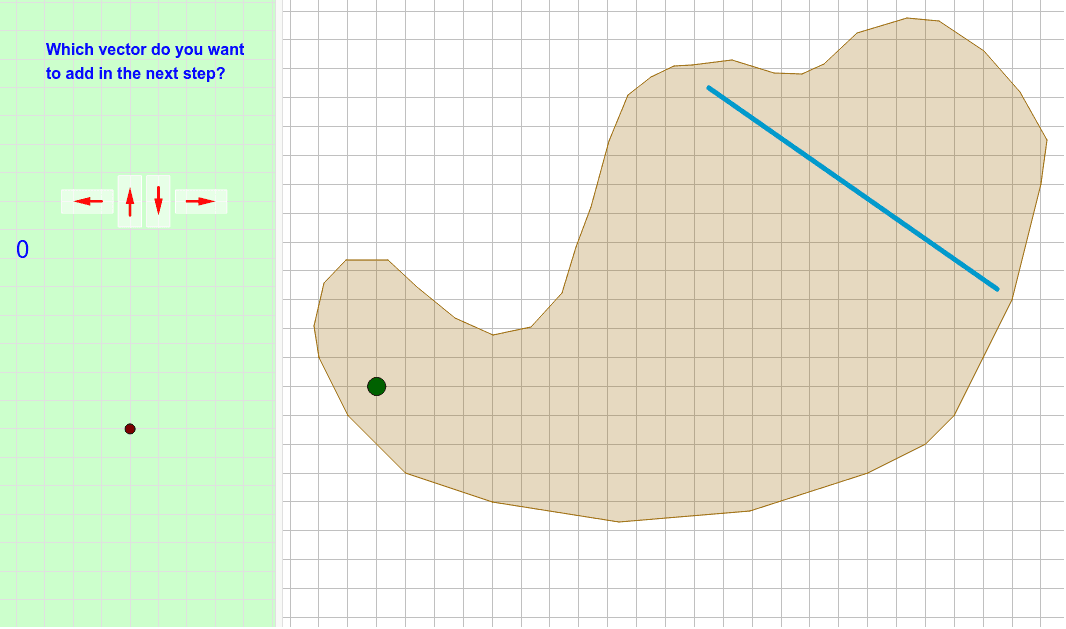
这个范例演示了如何通过几何图形来训练向量加法的概念。涉及的核心数学概念包括向量、向量加法以及几何作图。作图要点包括使用Polygon、Segment、Intersect、Vector等GeoGebra命令来构造向量图形。适合初中或高中数学学习者,用于理解向量运算的几何意义。
GeoGebra 命令及参数
Polygon(E, F, B, N, O, R, S, T, U, V, W, Z, G, A_1, B_1, C_1, D_1, E_1, F_1, G_1, H_1, I_1, J_1, H, K_1, L_1, M_1, N_1, O_1, P_1, Q_1, R_1, I, J, K, L, M, A) → camino, c, m, p, q, i_1, s_1, t_1, c_2, d_2, e_2, f_2, d, g_2, h_2, j_2, k_2, l_2, m_2, n_2, p_2, q_2, r_2, e, s_2, t_2, a_3, b_3, c_3, d_3, e_3, f_3, g_3, f, g, h, j, k, lSegment(Q, P) → segmentoIntersect(segmento, camino) → corte, corte_1, corte_2, corte_3Segment(C, D) → llegadaIntersect(llegada, segmento) → corteganadorVector(ejemplo, ejemplopunta) → ejemplovectorPolyLine(listarastro) → rastroVector(controles + (1, 1), controles + (0, 1)) → izqVector(controles + (2, 0.5), controles + (2, 1.5)) → arrVector(controles + (3, 1.5), controles + (3, 0.5)) → abaVector(controles + (4, 1), controles + (5, 1)) → derVector(ejemplo, puntoexplicado) → vectorexplicado_1Vector(puntoexplicado, ejemplopunta) → vectorexplicado_2Vector(P, P + (i * (Q - P))) → segmentovisiblePolygon((0, 0), (0.8, 0), (0.8, 1.8), (0, 1.8)) → rectangulito, rectangulito_2, rectangulito_3, rectangulito_4, rectangulito_5Translate(Rotate[rectangulito, 90*°], controles + (5.4, 0.6)) → der_FTranslate(rectangulito, controles + (2.6, 0.1)) → aba_FTranslate(rectangulito, controles + (1.6, 0.1)) → arr_FTranslate(Rotate[rectangulito, 90*°], controles + (1.4, 0.6)) → izq_F
AI 绘图提示语参考
画一个几何图形来演示向量加法,包含多个多边形、线段和向量。首先绘制一个不规则形状,然后画出两条线段并找到它们的交点。接着,从交点出发绘制一个向量,并用多段线连接几个关键点。最后,在图形周围添加四个方向的向量,并用旋转和平移操作创建四个相同的矩形,分别放置在四个方向上。
以上提示语为根据原始绘图命令整理而来,仅供参考。