
三角形面积探索 by John Ulbright
几何画板及绘图内容加载中,请稍等……
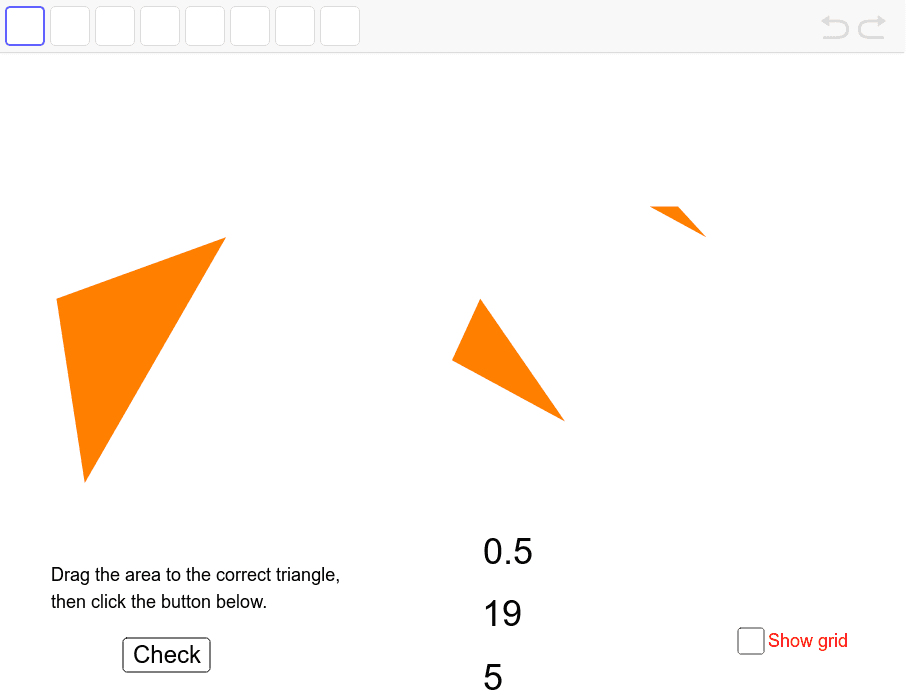
本范例演示如何通过几何作图探索三角形面积。核心数学概念包括三角形面积公式和解析几何。使用GeoGebra命令如Point、Polygon、Centroid等进行构造。适合初中及以上学生学习几何和面积计算。
GeoGebra 命令及参数
Point({(hzoommin + hzoommax) / 2, (vzoommin + vzoommax) / 2}) → middlePoint({Random[1, 10], Random[0, 10]}) → oneAPoint({Random[1, 10], Random[0, 10]}) → oneBPoint({Random[1, 10], Random[0, 10]}) → oneCPoint({Random[21, 30], Random[0, 10]}) → threeAPoint({Random[21, 30], Random[0, 10]}) → threeBPoint({Random[21, 30], Random[0, 10]}) → threeCPoint({Random[11, 21], Random[0, 10]}) → twoAPoint({Random[11, 21], Random[0, 10]}) → twoBPoint({Random[11, 21], Random[0, 10]}) → twoCPolygon(oneA, oneB, oneC) → polyOne, onec, onea, onebPolygon(twoA, twoB, twoC) → polyTwo, twoc, twoa, twobPolygon(threeA, threeB, threeC) → polyThree, threec, threea, threebCentroid(polyOne) → oneMiddleCentroid(polyTwo) → twoMiddleCentroid(polyThree) → threeMiddlePolygon(D, E, F, G) → poly1, d, e, f, gPolygon(H, I, J, K) → poly2, h, i, j, kPolygon(L, M, N, O) → poly3, l, m, n, oPoint({(x(E) * (1 - t)) + (x(oneMiddle) * t), (y(E) * (1 - t)) + (y(oneMiddle) * t)}) → moveAPoint({(x(I) * (1 - t)) + (x(twoMiddle) * t), (y(I) * (1 - t)) + (y(twoMiddle) * t)}) → moveBPoint({(x(M) * (1 - t)) + (x(threeMiddle) * t), (y(M) * (1 - t)) + (y(threeMiddle) * t)}) → moveCPointIn(polyTwo) → PointpolyTwo_1Perimeter(polyTwo) → aPointIn(polyTwo) → PointpolyTwoDistance(twoA, twoa) → distancetwoAtwoa
AI 绘图提示语参考
在坐标系中绘制三个随机三角形,分别位于左侧、中部和右侧区域,每个三角形由三个随机点构成。为每个三角形标出其重心,并用虚线连接重心与对应三角形的一个顶点。同时绘制三个四边形,每个四边形的一个顶点沿直线从某固定点移动到对应三角形的重心,形成动态效果。在中间三角形内部随机放置一个点,并显示该三角形的周长及某顶点到对边的距离。整体展示三角形面积与几何构造的关系。
以上提示语为根据原始绘图命令整理而来,仅供参考。