
不同行星上抛球运动模拟
几何画板及绘图内容加载中,请稍等……
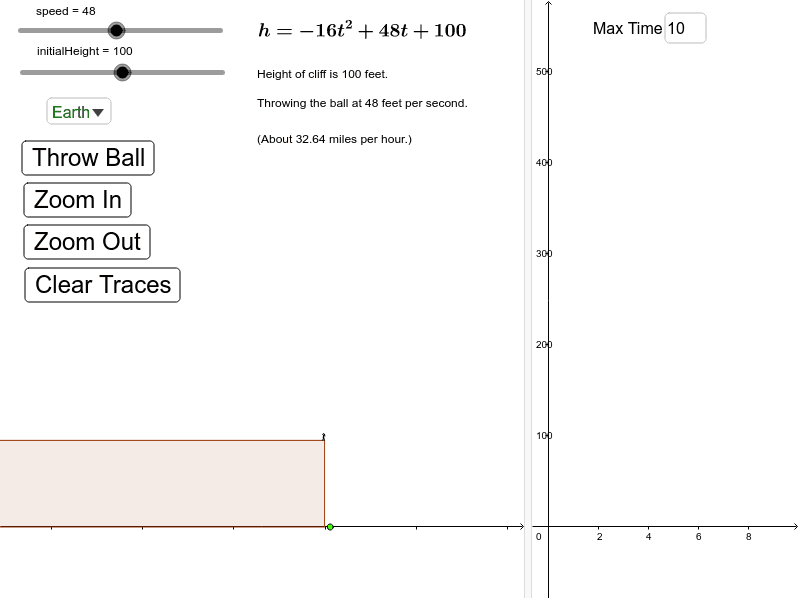
①本范例演示在不同行星上抛球运动的轨迹、飞行时间和最大高度;②涉及的核心数学概念包括抛物线、函数图像、重力加速度、运动学方程;③作图要点——从下方『构造摘要』提炼用到了哪些 GeoGebra 命令/对象:Corner, Point, Polygon, Circle, Segment, If, SelectedIndex, Element, Textfield;对象:time, cornerUR2, cornerBR2, timeBoundRight, timeBoundLeft, rightShadeLowerLeftCorner, rightShadeUpperLeftCorner, cornerUL2, cornerBL2, leftShadeLowerRightCorner, leftShadeUpperRightCorner, initialHeight, K, currentGravity, currentSpeed, currentInitialHeight, hitGroundTime, maxInitialHeight, maxSpeed, maxHitGroundTime, cliff, cliffRight, cliffUpper, cliffLeft, cliffLower, speed, A, B, C, D, E, F, e, personTorso, personLeftLeg, personRightLeg, personNeck, personRightArm, G, personLeftArm;④适合的学段或用途:高中物理与数学课程,用于理解重力、运动学及函数图像关系,适合教学演示和互动学习。
GeoGebra 命令及参数
Corner(3) → cornerUR2Corner(2) → cornerBR2Point({time + (timeBoundRight - timeBoundLeft) / 100, y(cornerBR2)}) → rightShadeLowerLeftCornerPoint({time + (timeBoundRight - timeBoundLeft) / 100, y(cornerUR2)}) → rightShadeUpperLeftCornerCorner(4) → cornerUL2Corner(1) → cornerBL2Point({time - (timeBoundRight - timeBoundLeft) / 100, y(cornerBL2)}) → leftShadeLowerRightCornerPoint({time - (timeBoundRight - timeBoundLeft) / 100, y(cornerUL2)}) → leftShadeUpperRightCornerCorner(1) → KPolygon((-0.5, 0), (-0.5, initialHeight - 5), (x(K), initialHeight - 5), (x(K), 0)) → cliff, cliffRight, cliffUpper, cliffLeft, cliffLowerCircle((-1.5, initialHeight + 1.5), 1) → eSegment(E, D) → personTorsoSegment(D, C) → personLeftLegSegment(D, B) → personRightLegSegment(E, F) → personNeckSegment(E, A) → personRightArmSegment(E, G) → personLeftArmIf(t < hitGroundTime, -currentGravity * t^(2) + currentSpeed * t + currentInitialHeight, 0) → hCorner(4) → LSelectedIndex(planets) → planetIndexElement(planetGravity, planetIndex) → gravityTextfield(timeBoundRight) → inputBox1Corner(2) → cornerBR1Polygon(cornerUL2, cornerBL2, leftShadeLowerRightCorner, leftShadeUpperRightCorner) → leftShade, a, b, c, dPolygon(cornerUR2, rightShadeUpperLeftCorner, rightShadeLowerLeftCorner, cornerBR2) → rightShade, f, g, i, j
AI 绘图提示语参考
在一个坐标系中,展示一个球在不同行星上的抛物线运动轨迹,包括飞行时间、最大高度和行星引力的影响。使用滑块选择不同行星,显示球的运动路径和阴影区域,并标注关键点如起点、最高点和落点。背景绘制悬崖和人物,通过函数图像和动态效果,直观呈现物理运动与数学函数的关系。
以上提示语为根据原始绘图命令整理而来,仅供参考。